Your pitch deck can determine how quickly you grow as a business or startup. That is why it must be prepared in the best way possible. The problem many founders face, however, is turning their ideas, market research, and business plans into presentations that can convince investors.
This is where an AI pitch deck generator becomes helpful. It can organize your ideas, create slide content, and speed up the whole design process, helping you communicate your business story more effectively.
Sounds like the perfect solution for your next product pitch or fundraising event? Let’s explore the best tools available today.
But before that, here’s a quick comparison of the top 10 AI pitch deck generators and their best features.
| Tool | AI Deck Generation | AI Content Writing | Templates | PPT Export | Best For |
| Gamma | Yes | Yes | Moderate | Yes | Quick first drafts |
| Beautiful.ai | Yes | Limited | Smart layouts | Yes | Polished designs |
| Canva AI | Yes | Yes | Extensive | Yes | Teams with branding needs |
| AiPPT.com | Yes | Yes | Extensive | Yes | Full deck creation from any input |
| Tome | Yes | Yes | Moderate | Limited | Narrative-driven pitches |
| Pitch | Yes | Limited | Moderate | Yes | Team collaboration |
| Microsoft Copilot | Yes | Yes | PowerPoint library | Yes | Microsoft-based teams |
| Prezi AI | Yes | Limited | Unique formats | Yes | Interactive storytelling |
| Visme | Yes | Yes | Data-focused | Yes | Data-heavy pitches |
| Plus AI | Yes | Yes | PowerPoint/Slides native | Yes | Teams keeping existing workflows |
What to Look for in an AI Deck Builder
While there may be hundreds of AI slide generators out there, not all of them are designed to build decks—and this is why you must look for several features when evaluating AI deck builders.
- AI content generation: It should turn your ideas into a clear presentation with well-structured slides and relevant content.
- Multiple input options: The best tools let you start from prompts, documents, webpages, or existing presentations.
- Professional templates and visuals: Built-in templates, charts, diagrams, and AI-generated images help create polished, investor-ready decks.
- Easy editing and collaboration: You should be able to refine your content and work with teammates without hassle.
- Export compatibility: Make sure the tool exports to PowerPoint and works with Google Slides, so you can easily edit, present, or share your deck.
10 Best AI Pitch Deck Generators Worth Trying in 2026
The ideal AI pitch deck maker for you will depend on what you prioritize when creating presentations—whether it is storytelling, stronger design control, or your overall business workflow.
1. Gamma
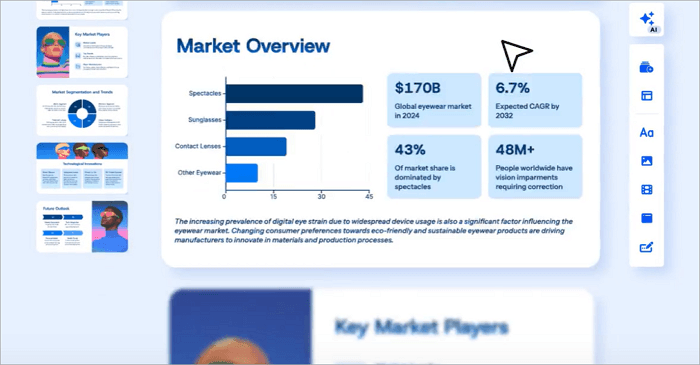
For a long time, Gamma has been one of the best AI presentation makers, particularly because of its speed. It’s the fastest way to go from a blank page to a first draft. You can enter a prompt, upload a document, or provide a topic, and Gamma generates a structured presentation.
This makes Gamma particularly useful for startups preparing initial investor presentations or teams working under tight deadlines.
Best for: Founders who want a fast first draft to build on.
Key features
- Prompt-to-deck generation
- Auto-organized text and visuals
- Quick conversion from outline to slides
Pros
- Very fast first draft
- It only requires minimal setup to get started
Cons
- Limited layout control for complex decks
- You may need to manually polish custom charts
2. Beautiful.ai
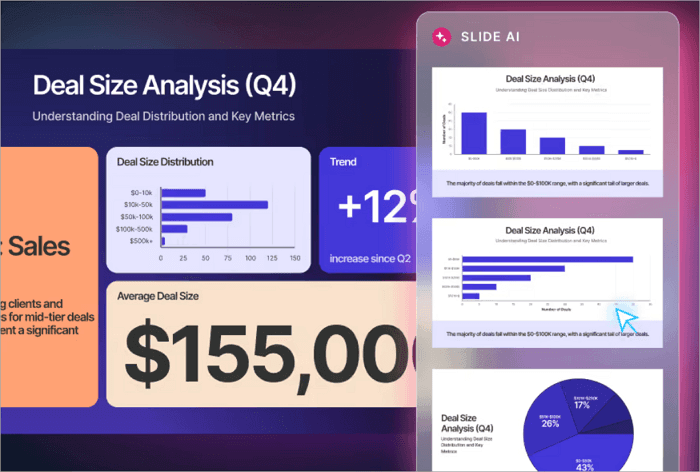
Beautiful.ai is more design-focused in its approach to creating presentations. It comes in handy for building professional presentations through smart layouts and automatic formatting.
As you add content, the tool automatically adjusts spacing, alignment, and visual hierarchy. This removes the need for manual design work while still maintaining a polished appearance.
Best for: Teams who want a polished look without manual design work.
Key features
- Smart, self-adjusting layouts
- Automatic formatting on edits
- Consistent visual structure across slides
Pros
- Professional appearance with little design effort
- Reduces formatting busywork
Cons
- Less freedom for highly custom-designed
3. Canva AI
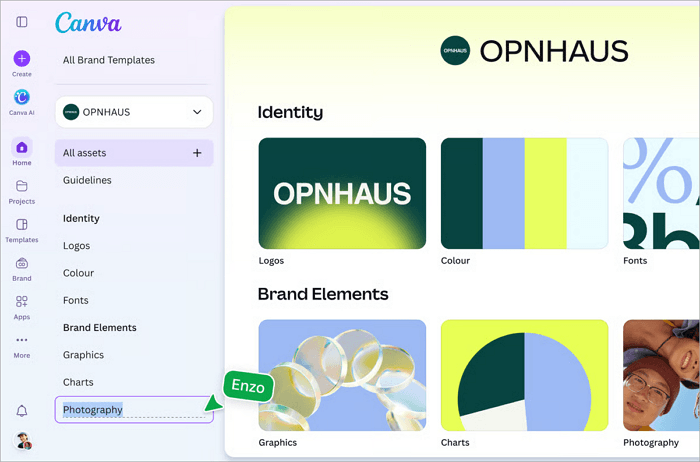
Many business owners may know Canva as a graphic design platform, but it has evolved far beyond that. Canva currently includes powerful AI presentation features to help you generate slides, create visuals, and customize designs all in a single workspace.
Canva AI also includes image editing, brand management, and collaboration features, allowing your team to handle multiple aspects of presentation creation without switching tools.
Best for: Startups and teams seeking an AI deck builder with creative control.
Key features
- Extensive template library
- Brand kit and asset integration
- Connected to Canva’s wider design suite
Pros
- Strong branding and customization options
- Useful beyond just pitch decks
Cons
- AI narrative generation is less advanced
- Can require more manual styling
4. AiPPT.com
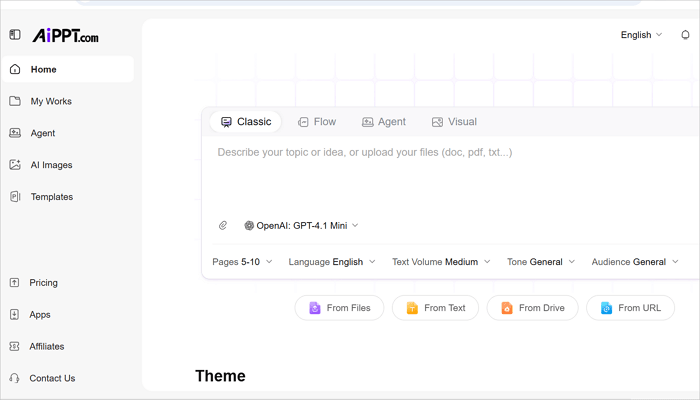
AiPPT.com helps founders create professional startup pitch decks faster with AI assistance. Instead of spending hours designing slides from scratch, users can turn their startup ideas, business documents, or online content into structured presentations with clear storytelling and polished layouts.
The platform supports multiple presentation styles, including AiPPT Classic, AiPPT Flow, and AiPPT Visual, giving users more flexibility to create decks that fit different goals and audiences. Whether you need a traditional investor pitch, a visual storytelling deck, or a modern business presentation, AiPPT.com provides suitable templates and AI-generated structures to simplify the process.
From company introduction and problem statements to market opportunities, solutions, and growth strategies, AiPPT.com helps organize essential pitch deck sections efficiently. It allows founders to focus more on refining their ideas and investor message while reducing the time spent on slide creation.
✨Tutorial: >> What Is a Pitch Deck and How to Create It
Best for: Founders and business owners who want to turn existing materials into polished decks.
Key features
- Multiple input types (prompt, document, URL, Drive, template)
- AI-written content, plus design and visuals, together
- 200,000+ free templates, diagrams, and AI-generated images
- PowerPoint and PDF export
Pros
- Handles content, design, and visuals in one workflow
- Flexible starting points for scattered materials
Cons
- A larger template library means you may need to browse more to find the right fit.
5. Tome
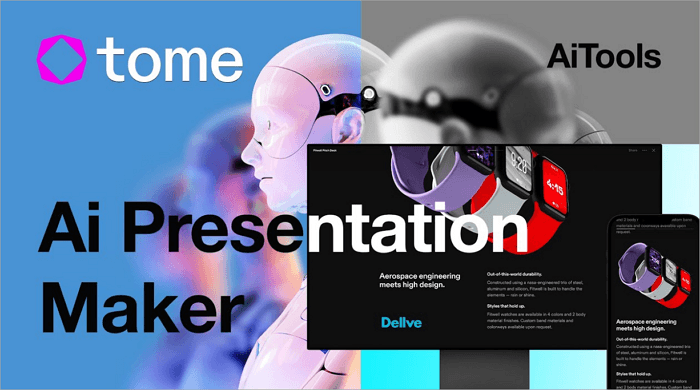
Tome differs from other tools through its storytelling approach. Rather than treating presentations as collections of slides, it helps you create narratives that guide your audience through ideas and concepts.
This approach is particularly useful when presenting innovative products, startup concepts, or strategic initiatives that require context and persuasion.
Best for: Founders pitching for investment in their businesses.
Key features
- Narrative-first AI generation
- Connected storytelling across slides
- Flexible, less rigid slide structure
Pros
- Strong fit for visual-driven pitches
- Helps frame ideas, not just list them
Cons
- Less suited to data-heavy decks
- Limited export options compared to other tools
6. Pitch
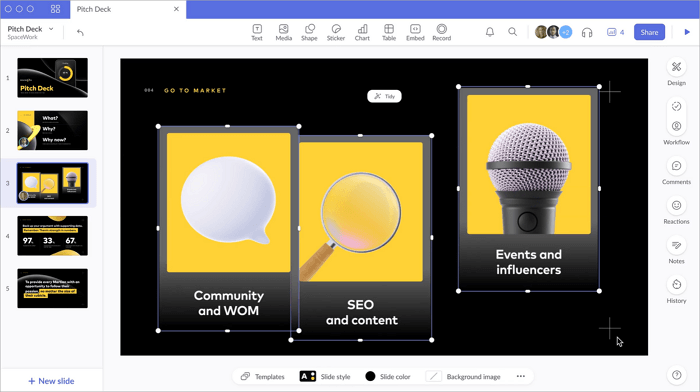
Many AI presentation tools were designed with one thing in mind, and for Pitch, it is collaboration. For years, Pitch has helped teams create, review, and refine presentations together.
It works well for startups where founders, marketers, sales professionals, and product teams have to contribute to pitch deck creation. Team members can review content, leave comments, make edits, and maintain version control throughout the process.
Best for: Teams where multiple people build a single deck.
Key features
- Real-time co-editing and commenting
- Task assignment and version history
- Designer-made template library
Pros
- Best-in-class collaboration workflow
- Strong free plan for smaller teams
Cons
- AI generation quality trails dedicated AI-first tools
7. Microsoft Copilot for PowerPoint
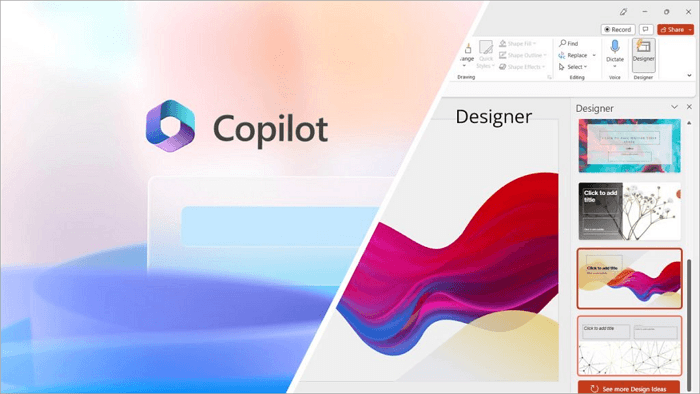
Several businesses already rely heavily on Microsoft PowerPoint. For them, Microsoft Copilot offers a natural way to introduce AI into existing workflows. Copilot can generate presentation drafts, summarize documents, suggest slide content, and assist with design improvements directly within PowerPoint. This means you can also benefit from AI without leaving PowerPoint.
Best for: Microsoft 365-based businesses adding AI to an existing process.
Key features
- AI assistance inside native PowerPoint
- Draft slides from existing documents
- Content restructuring on request
Pros
- No new tool or workflow to learn
- Fits existing IT and security setups
Cons
- Output quality can be inconsistent
- Less specialized for pitch deck structure
8. Prezi AI
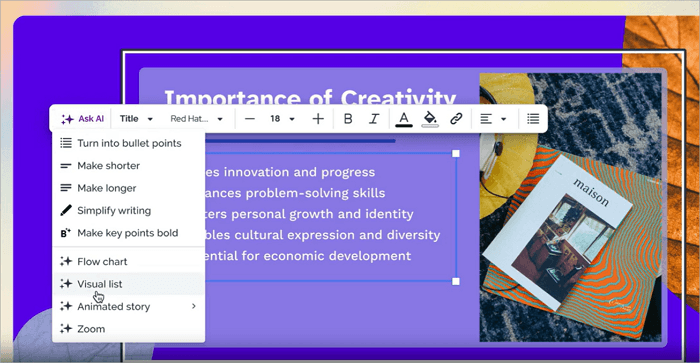
Prezi is also one of the best AI tools for pitch decks, particularly because of its dynamic and interactive presentation style. Its AI capabilities now make that approach even more accessible.
Instead of moving slide by slide, Prezi allows users to zoom between ideas and visually connect concepts. This can create a more engaging experience for audiences, especially when you’re presenting complex information.
Best for: Pitches with interconnected or layered ideas.
Key features
- Non-linear, zooming presentation format
- AI-assisted content structuring
- Interactive presentation flow
Pros
- Memorable, distinctive presentation style
- Good for explaining complex relationships
Cons
- Less effective for simple, linear pitches
- Can be a bit difficult to learn for beginners
9. Visme
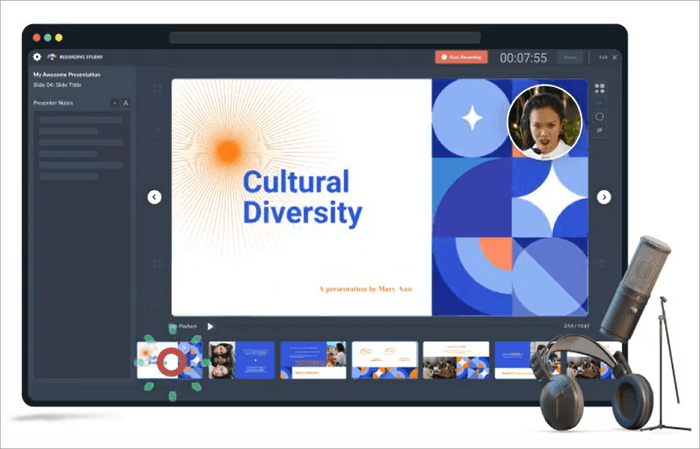
You want to present information through charts, infographics, or data visualizations? Visme is the perfect tool for you, thanks to its visual communication strength. Pitch decks frequently contain market research, growth projections, financial metrics, and performance data, which may be too technical for potential investors. Visme helps transform these numbers into visuals that are easier to understand and remember.
Best for: Data-heavy pitches and business reports.
Key features
- Built-in chart and infographic builder
- Prompt or template-based starting points
- Visual elements designed for data-heavy content
Pros
- Strong at presenting metrics clearly
- Reduces the need for external chart tools
Cons
- Less narrative-focused than storytelling-first tools
- Can require more setup for non-data slides
10. Plus AI
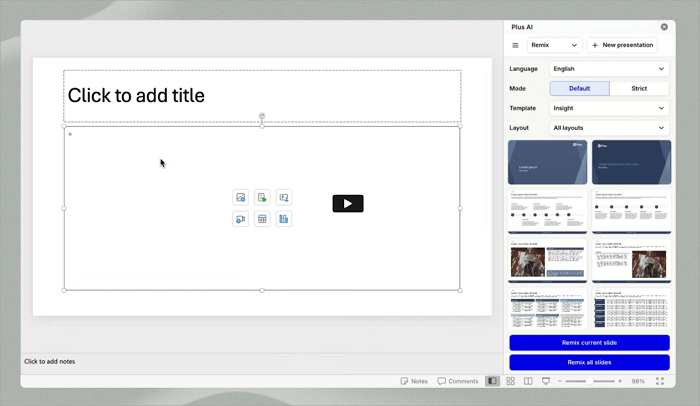
Plus AI works directly within Google Slides and PowerPoint, helping you to enhance existing workflows with AI capabilities. You can generate presentation content, rewrite slides, improve messaging, and build complete decks while continuing to work in familiar environments.
Best for: Teams who want to create decks without changing platforms.
Key features
- Native integration with PowerPoint and Google Slides
- AI generation from long, detailed prompts
- Works within existing file formats
Pros
- No workflow disruption for established teams
- Keeps decks in formats you’re familiar with
Cons
- Less standalone design flexibility
Conclusion
The real value of an AI pitch deck generator goes beyond saving time. These tools help founders, sales teams, and businesses communicate ideas quickly and clearly.
They do this by organizing thoughts, strengthening narratives, and focusing attention on the message rather than repetitive formatting tasks.
The best way to evaluate an AI presentation platform, however, is to test it with a real business idea, existing document, or presentation draft. Do this yourself to find out which solution best matches your workflow and pitch deck goals.
Learn More About AI Pitch Deck Maker
Choosing the right AI presentation maker often comes down to your workflow, team structure, and presentation goals. The questions below can help you make a more informed decision.
1. How to select an AI for pitch decks?
You should always consider how you actually work first. If what you need is a quick first draft from a single prompt, go for tools with strong generation features such as Gamma or AiPPT.com.
However, if you’re working on a team and want to prioritize collaboration over speed of generation, a tool like Pitch comes in handy. Then, if your pitch leans on data, prioritize chart and infographic tools, like Visme.
2. How to use AI tools to build a pitch deck?
Here’s how to quickly build a pitch deck using a versatile AI pitch deck maker, AiPPT.com:
- Gather your input, whether it’s a business plan, notes, or a rough routine.
- Upload the document or paste the prompt describing your deck.
- Review the outline the tool generates and choose a theme.
- Customize the deck with your real data, charts, and brand assets where there are placeholders.
- Export to PowerPoint or PDF.
3. What are the best AI tools for pitch decks?
The best 10 AI tools for creating pitch decks are:
- Gamma
- Beautiful.ai
- Canva AI
- AiPPT.com
- Tome
- Pitch
- Microsoft Copilot for PowerPoint
- Prezi AI
- Visme
- Plus AI
Each of these platforms serves different needs, ranging from fast AI-generated presentations and collaborative workflows to storytelling-focused decks and advanced design customization.
4. How to create a startup pitch deck using AI automation?
A strong startup pitch deck needs a clear story, including the problem, solution, market opportunity, business model, and growth plan. AI presentation makers can help founders turn ideas and business information into structured slides faster. AiPPT.com is a helpful choice for this task, offering AI-generated presentations with different styles to match your needs.
Steps:
- Enter your startup idea or upload relevant materials.
- Select a pitch deck style and let AI generate slides.
- Review the content, adjust details, and export your presentation.