Presentations have become a crucial part of our lives today, and it’s almost impossible not to notice. They are used in classrooms, meetings, product launches, and even family events.
You’ve probably come across hundreds of PowerPoint presentations yourself, but haven’t given much thought to what makes them so useful. If you’re asking “what is PPT?”, you’re in the right place.
In this article, we’ll explore what a PowerPoint presentation is, what it looks like, where it’s used, and why it continues to matter in today’s world.
Before we proceed, let’s walk through a quick comparison of the two most popular presentation tools, PowerPoint and Google Slides.
| Feature | PowerPoint | Google Slides |
| Offline access | Yes | Limited (Requires offline mode) |
| Collaboration | Good | Excellent |
| Cost | Paid (Microsoft 365) | Free |
| Templates | Extensive built-in library | Good selection |
| File export format | PPTX, PDF, and more | Cloud-based, PPTX, PDF |
What is a PowerPoint Presentation?
A PowerPoint presentation is a collection of slides used to communicate information through text, images, charts, videos, and other visual elements.
If someone asks “what is PowerPoint presentation,” you can easily describe it as a digital slideshow used to present ideas clearly to an audience. Each slide of a PowerPoint presentation focuses on a specific point, making complex topics easier to understand.
Together, these slides either explain a topic, tell a story, teach a lesson, or persuade an audience to take a specific action. Instead of reading pages of text, it serves as a visually organized format that is easier to follow for viewers.
What Does a PowerPoint Presentation Look Like?
Although presentations come in different styles, they all share several common elements that work together to communicate a message.
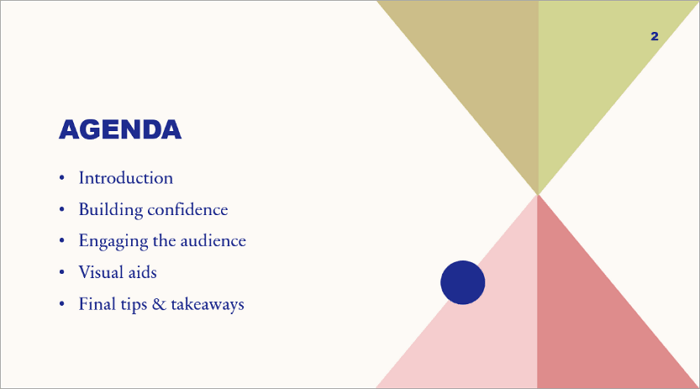
1. Slides
These are the building blocks of every presentation. Rather than placing every idea on one screen, you can divide information into multiple slides, with each slide focusing on one idea.

2. Titles and Text
Text gives a presentation its structure. The title tells the audience what a slide is about, while the body text adds supporting details. To make your presentation effective, keep text as concise as possible.
3. Images and Graphics
Visuals make presentations more engaging and easier to understand. Photos, icons, illustrations, and diagrams can explain ideas much faster than long paragraphs of text.

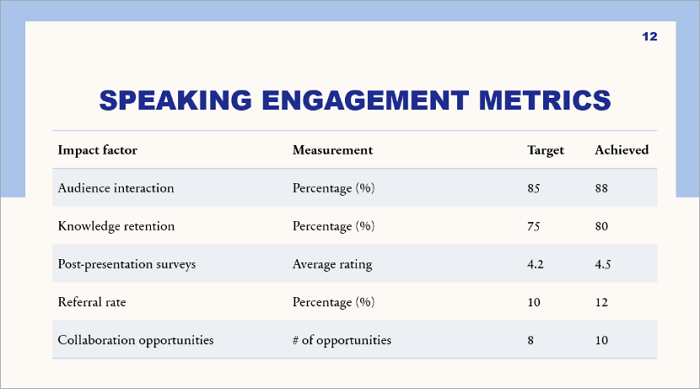
4. Charts and Tables
Numerical information is easier to present using charts and tables. Businesses often use charts to display sales performance, revenue growth, or market trends, while teachers may use tables to compare concepts.
5. Animations and Transitions
You may include animations in your presentation when you want to control pacing and add emphasis. However, you should avoid the flashy effects that may distract the audience from your message.
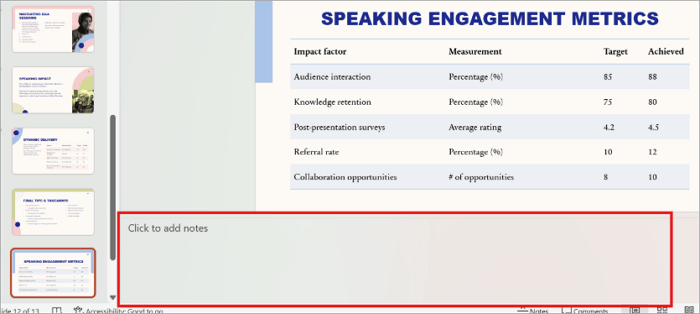
6. Speaker Notes
Located beneath each slide in PowerPoint, speaker notes can only be seen by the presenter. They let you include reminders, additional explanations, or talking points without displaying them to the audience.
What is a PowerPoint Presentation Used For?
So what is PowerPoint used for in daily life? Almost anywhere ideas need to be shared, from boardrooms to classrooms to living rooms.
1. Business Presentations
Companies and businesses run on meetings, and meetings run on slides. Quarterly reports, strategy sessions, and budget reviews all use PowerPoint because it helps present complex ideas quickly and professionally.
Instead of reading lengthy documents, staff members can quickly understand important points through well-designed slides.
2. Classroom Lessons
PowerPoint has become one of the most widely used teaching tools in schools and universities. Teachers use slides to structure lessons, display diagrams, and keep students engaged, while students use it for assignments, research projects, and class discussions.
3. Sales Pitches
It is much easier to persuade anyone when they can see what you’re describing. This is why sales professionals have adopted the use of presentations for product demonstrations, client proposals, and investor pitches.
Rather than simply describing a product, they can showcase its features, compare solutions, display customer testimonials, and present pricing in a clear format.
4. Training Sessions
Organizations also make use of presentations for employee training and onboarding. These slides explain company policies, workflows, safety procedures, and technical processes in a structured way.
Employees can follow the content step by step, making training sessions more organized and easier to understand.
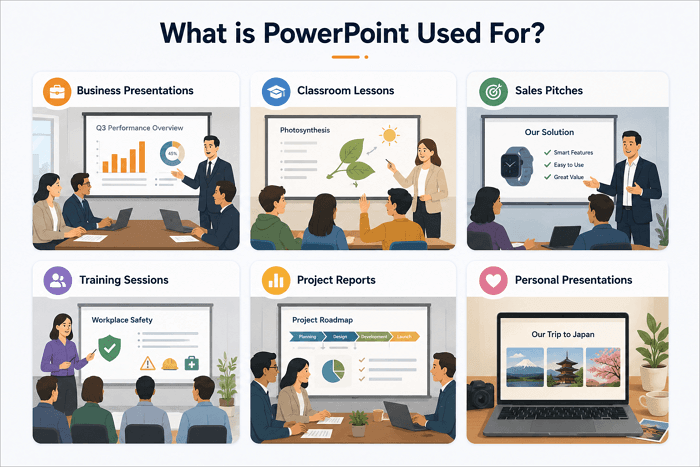
5. Project Reports
Teams use presentations to summarize progress and communicate results. Instead of reviewing long reports, stakeholders can quickly see project roadmaps, timelines, completed tasks, upcoming milestones, budgets, and performance metrics on a few well-organized slides.
6. Personal Presentations
PowerPoint presentations also come in handy for less formal uses such as wedding slideshows, birthday tributes, travel recaps, and self-introduction slides for new jobs.
Benefits of Using PowerPoint Presentations
Now that we’ve explored the uses of PowerPoint, you should also see the benefits of using it to create presentations.
1. Improves Visual Communication
People generally understand and remember visuals more easily than plain text. PowerPoint presentations combine images, icons, diagrams, and charts with concise text to simplify complex ideas.
2. Helps Organize Information
Slides naturally encourage you to organize your thoughts. Instead of presenting information randomly, each slide focuses on one idea, creating a logical flow that helps audiences follow the presentation.
3. Increases Audience Engagement
A good presentation captures attention through clear visuals, storytelling, and thoughtful slide progression. However, engagement doesn’t come from flashy animations alone but also from good communication.
4. Supports Collaboration
PowerPoint has also made teamwork easier with cloud sharing and co-editing. This way, teammates can build one deck together instead of emailing files back and forth.
5. Works Across Multiple Devices
Another advantage of PowerPoint presentations is flexibility. You can run the presentation on laptops, tablets, projectors, and smartphones. The .pptx format is supported almost everywhere, which makes sharing simple.
How to Create a PowerPoint Presentation with AI
You no longer have to begin creating a presentation from a blank slide. AI-powered presentation tools such as AiPPT.com can help you simplify this process. In only a few minutes, this tool can help you:
- Generate outlines
- Recommend layouts for your slides
- Build complete slide decks from prompts or documents
AiPPT.com also offers three different modes, depending on your presentation goal. They include:
- AiPPT Classic: Instant slide generation with high quality themes.
- AiPPT Flow: Flexible presentations that format automatically.
- AiPPT Visual: Distinct visual styles and slide-to-slide narratives.
Instead of designing every slide manually, you can describe your topic, and the platform generates a presentation that you can edit and customize to match your needs.
Here’s how to quickly create a PowerPoint presentation with AiPPT.com:
Step 1: Sign in or sign up on AiPPT.com.
Step 2: Enter your topic or upload a document, such as a Word file or PDF.
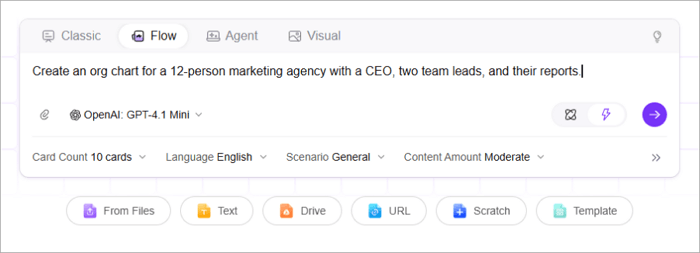
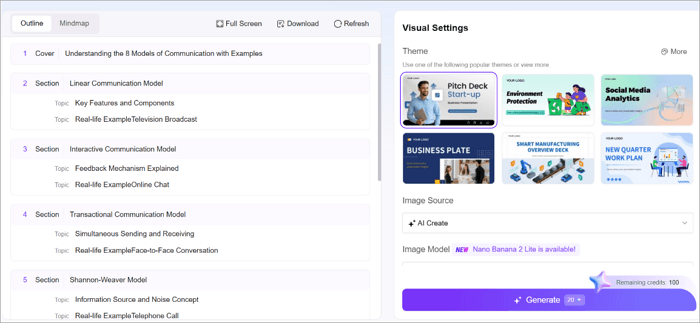
Step 3: Review the AI-generated outline and pick a template style you like.
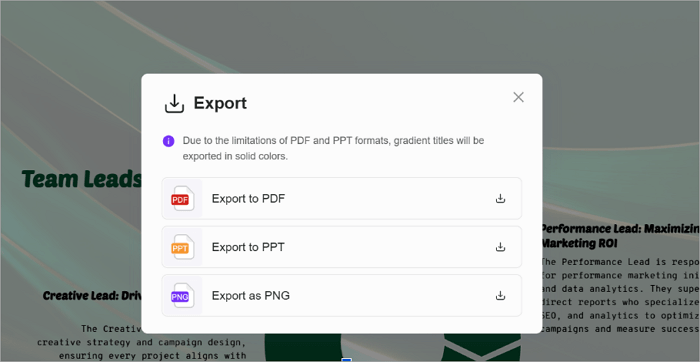
Step 4: Download the finished file as a .pptx and present it anywhere.
Conclusion
Despite the growth of videos, AI tools, and social media, presentations continue to play an important role in how people communicate ideas.
Keep in mind, however, that the most successful presentations aren’t necessarily the longest. They’re the ones that explain ideas in a way that’s simple, engaging, and memorable.
Now that you understand what is PPT, you can start creating presentations more confidently. Whether you choose to build manually or use an AI presentation generator like AiPPT.com, focus on clarity so you can communicate more effectively.
FAQs on PowerPoint Presentation Meaning
Still have a few questions about PowerPoint presentations? Check out some of the most common ones beginners ask.
1. What is the meaning of PPT presentations?
Let’s quickly define presentation in PowerPoint in the simplest terms. A PPT presentation is a digital slideshow created with Microsoft PowerPoint. It consists of multiple slides that combine text, images, charts, videos, and other visual elements to communicate information effectively.
2. What is PowerPoint used for in the workplace?
In the workplace, PowerPoint is used for meetings, project updates, sales presentations, employee training, performance reviews, client proposals, and strategic planning.
These presentations help teams communicate ideas clearly, summarize complex information, and keep meetings organized with visual content that is easy to follow.
3. What are the features of MS PowerPoint?
Microsoft PowerPoint has several impressive features for creating presentations. They include:
- Customizable templates
- Themes
- Animations & transitions
- Charts & tables
- SmartArt graphics
- Presenter view
- Speaker notes
- Collaboration tools
These features allow users to create professional presentations for education, business, and personal projects.