Are you preparing for an important pitch meeting that needs to be as convincing as possible? A company profile might come in quite handy. In many cases, investors or clients may even ask to see it before making a decision.
This document helps introduce your brand, showcase your expertise, and build trust before the first conversation even begins. If you’ve considered creating one, you should know the best company profile format for your brand.
Here, we’ll explore not only practical templates for different industries but also how to choose the one that best fits your business goals.
What is a Company Profile and What Should It Include?
A company profile is a professional document or presentation that introduces your business to potential customers, investors, partners, or stakeholders. It helps them decide whether your pitch is worth their time.
There may be different company profile formats, but they all share common components. They include:
- Company overview
- Mission and vision
- Products or services
- Company history
- Leadership team
- Achievements, notable clients, and completed projects
- Contact information
You don’t need every section to run long. What matters is that a reader can skim the document and walk away with a clear picture of the business.
How to Choose the Right Company Profile Template
It can be a little difficult to pick the right business profile template for your company, as there are probably thousands of them already that look identical. However, the best choice depends on who will read it and how it will be used.
Here are things you should consider:
✅ Audience: Investors appreciate profiles that showcase data, while customers prefer to see visuals and highlights of the service you offer.
✅ Format: If you’re sharing your company profile as a presentation, you’d want to stick to concise text and strong visuals that communicate quickly. You may include more details if the document will be printed.
✅ Industry: Construction companies, for example, benefit from project galleries and certifications, while tech startups focus on products, innovation, and growth metrics.
✅ Content volume: Some templates are designed for quick business introductions, while others provide space for detailed company information.
Top 10 Company Profile Templates
Every business tells its story differently, which is why no single template works for everyone. So, we’ve selected a mix of startup, corporate, creative, and industry-specific company profile design templates to accommodate different business needs.
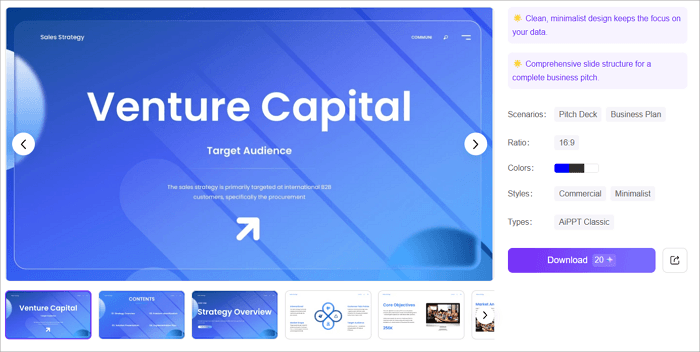
1. Startup Pitch Company Profile Template
Best for: Startups, SaaS businesses, and entrepreneurs seeking funding.
This template has a 15-slide layout that introduces your company, business model, market opportunity, and growth strategy in a logical flow. It also features editable charts for presenting key metrics.
The minimalist design, blue color palette, and ample white space create a professional look that’s ideal for investor pitches. It’s best used for fundraising and partnership meetings, rather than detailed corporate profiles.
Try this Template: >> Startup Pitch Company Profile Template
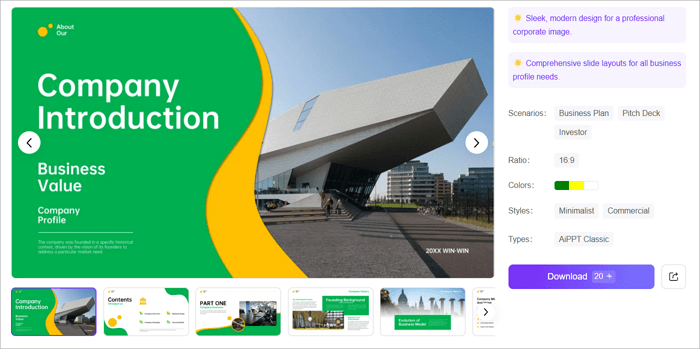
2. Construction Company Profile PPT
Best for: Construction companies, engineering firms, and real estate developers.
This 15-slide template presents your mission, services, company history, achievements, and team in a clear, organized format. Architecture-themed visuals, a consistent header for branding, and a vibrant yellow-and-green color palette help create a memorable presentation.
It’s ideal for introducing your business to investors, clients, or partners, but may feel too industry-specific for companies outside construction.
Try this Template: >> Construction Company Profile PPT
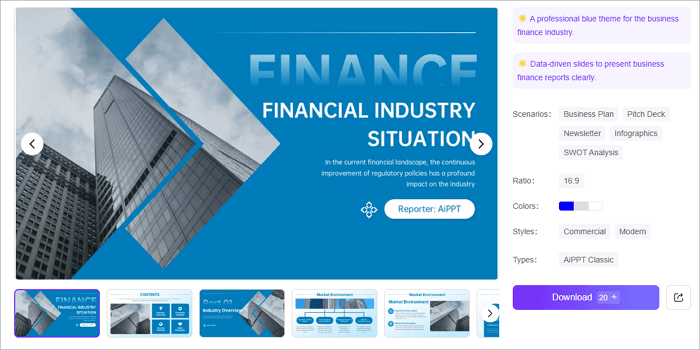
3. Financial Services Company Profile PPT
Best for: Banks, investment firms, insurance companies, and accounting firms.
Financial businesses need to communicate trust, and this template does exactly that. It includes dedicated layouts for your services, company history, organizational structure, and business scope, alongside roadmaps, Venn diagrams, and org charts that simplify complex information.
The polished blue design also works well for financial reports, making it a smart choice if your profile regularly includes business performance or company updates.
Try this Template: >> Financial Services Company Profile PPT
4. Cybersecurity Agency Company Profile
Best for: Cybersecurity agencies, IT consulting firms, and managed security providers.
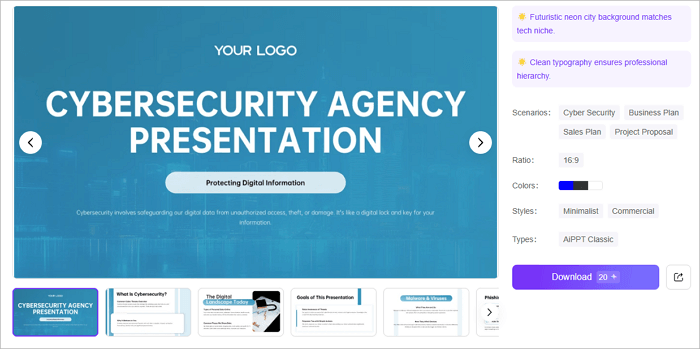
If your business operates in a highly technical industry, credibility matters as much as expertise. This template uses a clean, dark blue design with cyber-themed backgrounds to create a professional first impression.
It includes sections for your services, competitor analysis, and project visuals to help explain your value clearly.
Try this Template: >> Cybersecurity Agency Company Profile
5. Logistics Company Profile PPT
Best for: Logistics companies, courier services, supply chain businesses, and transportation providers.
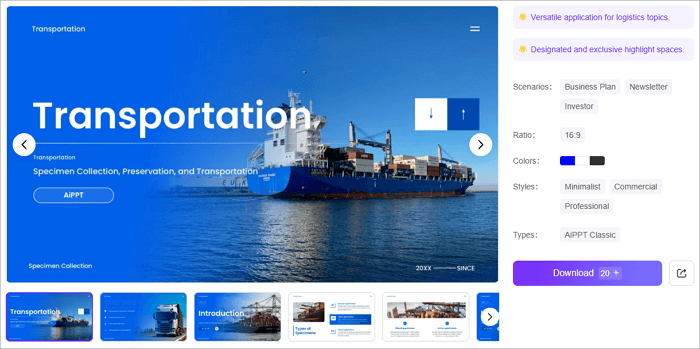
A logistics company needs to establish trust before discussing its services, and this template is built with that in mind. It combines transportation-themed visuals with organized layouts for showcasing your capabilities, business strengths, and operational network.
The spacious design remains clear on screen and in print, making it a practical choice for investor presentations, government tenders, or client proposals.
Try this Template: >> Logistics Company Profile PPT
6. Investment Company Business Plan Presentation
Best for: Investment firms, consulting agencies, and startups seeking funding.
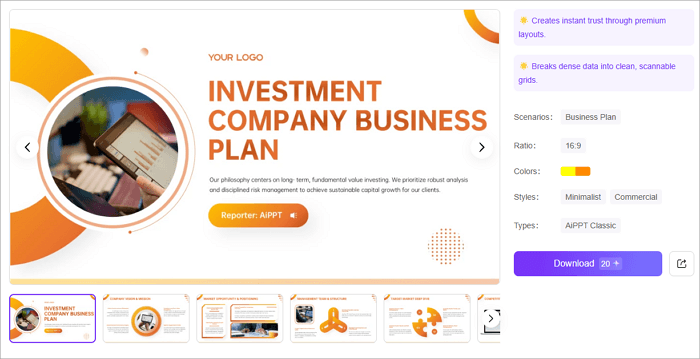
Designed with a professional dark blue theme, this company profile sample format helps present your company in a credible and organized way.
Its logical slide flow makes it easy to introduce your services, business strategy, and growth potential. The template is ideal for investor pitches, business proposals, and company introductions.
Try this Template: >> Investment Company Business Plan Presentation
7. Technology Consulting Services Profile PPT
Best for: Technology consulting firms, IT service providers, and software companies.
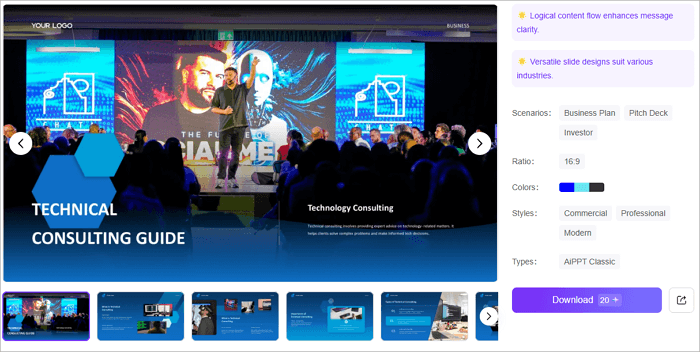
For consulting businesses, expertise is your biggest selling point. This template puts that front and center with a clean, business-focused layout that lets you introduce your services, experience, and value proposition without distracting design elements.
The dark blue theme reinforces credibility, making it a solid choice for client meetings, partnership proposals, or investor presentations.
Try this Template: >> Technology Consulting Services Profile
8. Corporation Meet the Team PPT
Best for: Corporate businesses and professional service firms introducing their leadership team.
People often invest in the team as much as the business, and this template helps showcase key team members. It does this through profile slides and organizational charts, helping audiences understand each person’s role and expertise.
Its modern blue design creates a professional impression, making it a great addition to company profiles, investor presentations, or client introductions.
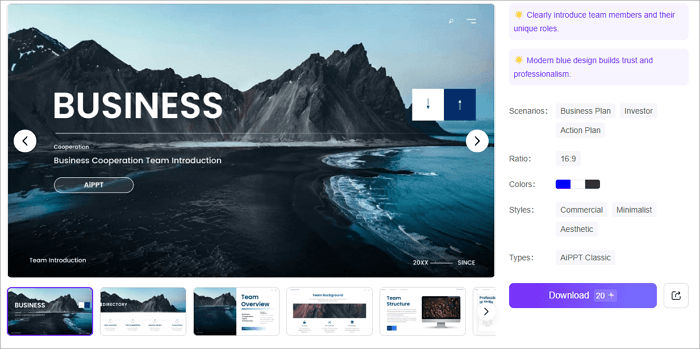
Try this Template: >> Corporation Meet the Team PPT
9. Real Estate Syndication Pitch Deck
Best for: Real estate developers, property investment firms, syndication groups, and commercial real estate consultants.
When you’re asking others to invest in a property, presentation matters. This template combines premium visuals with modular layouts that highlight property portfolios, investment opportunities, and project advantages without overwhelming the audience.
It’s especially effective for syndication pitches and high-value real estate proposals where building investor confidence is the priority.
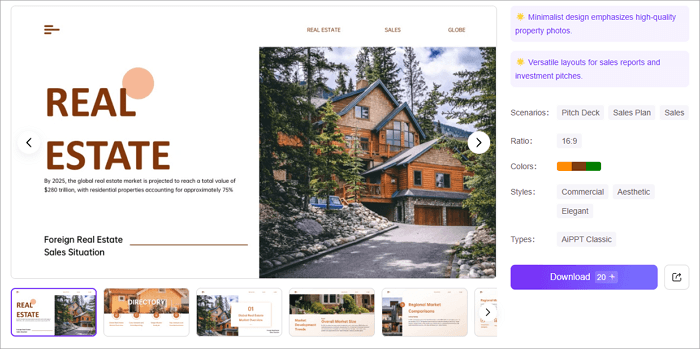
Try this Template: >> Real Estate Company Profile
10. Business Introduction PowerPoint Template
Best for: Startups, agencies, corporate teams, and businesses.
Sometimes, simplicity leaves the strongest impression. With its elegant black-and-white design, this template keeps the focus on your message while providing dedicated slides for your company overview, services, team, and key data.
It’s a reliable choice for businesses that want a polished, professional profile suitable for both client meetings and corporate presentations.
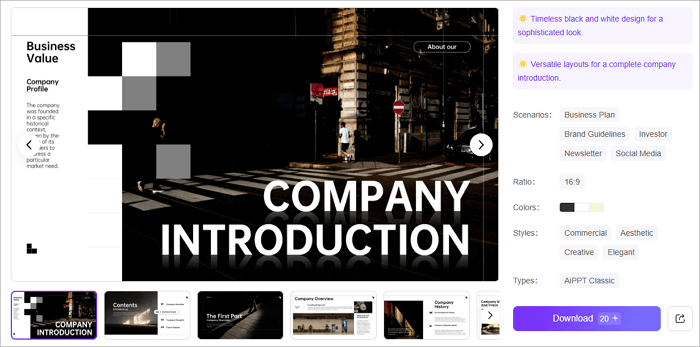
Try this Template: >> Business Introduction PowerPoint Template
How to Make a Company Profile Using AI
Instead of starting from scratch every time you have to build a company profile, AiPPT Flow lets you generate it automatically in just a few minutes.
Key Features:
- Presentation generation from prompts, documents, or webpages
- Layouts that adjust automatically
- Smart diagrams and interactive components like charts, videos, and tables
- Professional templates and reusable themes
To create a company profile using AiPPT Flow, follow these steps:
Step 1: Create an account on AiPPT.com or sign in if you already have one.
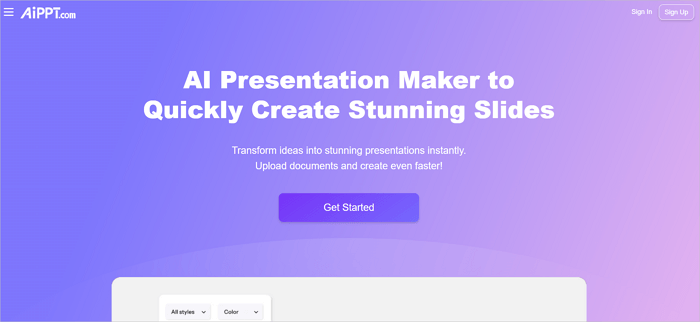
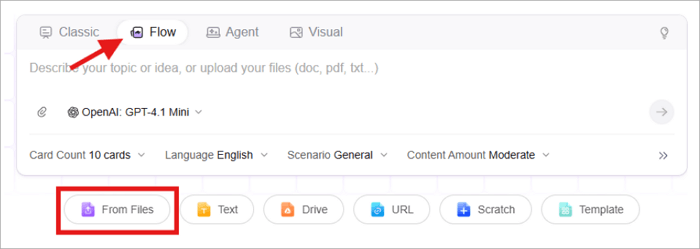
Step 2: Switch to Flow mode and describe your business or upload a document that contains the necessary details.
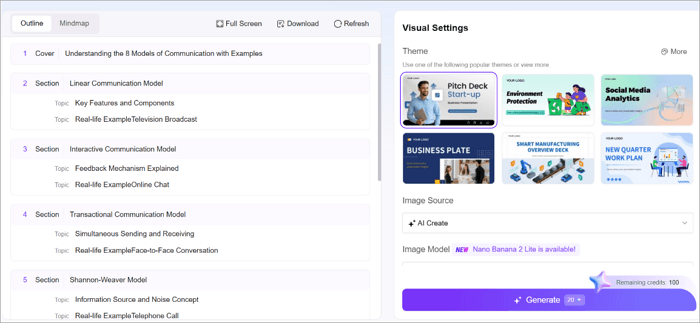
Step 3: Review the outline and proceed to generate your PPT after choosing a theme.
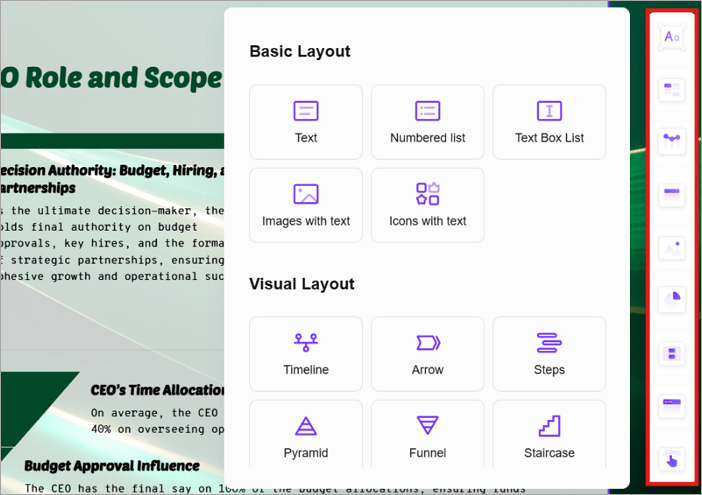
Step 4: Use the highlighted menu on the right to add or edit components such as text, charts, smart diagrams, media, and layouts.
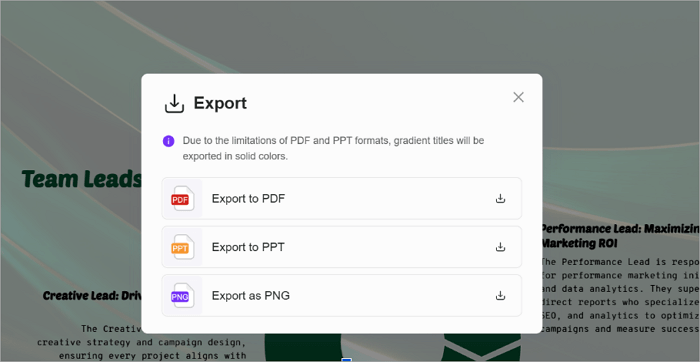
Step 5: To save your presentation, use the Export button and select a preferred format. Alternatively, click Share to create a link for teammates to collaborate with you.
Conclusion
A well-designed company profile does more than introduce your business—it helps establish credibility before you even start the conversation.
Whether you’re attracting investors, pitching to clients, or expanding into new markets, choosing the right company profile format makes your information easier to understand and more memorable.
When creating yours, start with a template that fits your industry and audience, then customize it with your brand, achievements, and unique value proposition.
FAQs on Business Profile Template
Choosing the right template is only the first step. Here are answers to some common questions about creating a professional company profile.
1. How to make a company profile using AI online?
You can create a company profile online with AiPPT by describing your business or uploading your content. To do this:
- Sign in or sign up on AiPPT.com
- Upload a document containing your company details
- Select your preferred theme
- Customize the profile to match your brand
- Share or export it as PPT
2. What is an example of a small business description?
A small business description briefly explains what your company does, who it serves, and what makes it unique.
For example: “ABC Digital Solutions is a marketing agency that helps small businesses grow through SEO, social media marketing, and content creation. Since 2022, we’ve helped over 100 clients increase their online visibility and sales.”
3. What is a company profile example?
A company profile is a document or presentation that introduces a business to potential clients, investors, or partners. A typical example includes:
- Company overview
- Mission and vision
- Products or services
- Company history
- Leadership team
- Achievements
- Contact information