Most projects do not fail because the team was not talented enough. They failed because everyone was working hard in slightly different directions.
You have probably seen it. The developer who’s already three steps ahead, building something nobody has asked for yet. The Marketing lead is pushing for a launch date that the product team has not even discussed.
More meetings don’t fix this. Neither does a longer to-do list.
A project roadmap provides clarity and aligns your team so everyone can visualize what success looks like. We will show you real-world project roadmap examples and practical steps for how to make a roadmap for a project.
What is a Roadmap in a Project?
At its core, a roadmap in a project is a high-level visual plan that shows how a project will progress over time. It highlights key goals, major milestones, and the general shape of how things will unfold. But not the granular stuff, like who will be doing what on Tuesday!
The following are the common types of roadmaps.
| Type | Description | Usecase |
|---|---|---|
| 1️⃣ Timeline roadmap | Displays milestones along a chronological timeline | Ideal for Product launches and marketing campaigns |
| 2️⃣ Goal-oriented roadmap | Organized around objectives and outcomes | For strategic initiatives |
| 3️⃣ Agile/Kanban roadmap | Uses workflow stages. Teams work in short cycles where ideas are built and refined. | Software development teams love this approach because it avoids costly surprises at the end. |
| 4️⃣ OKR-based roadmaps | Aligns project activities with measurable objectives | Company-wide strategic planning |
| 5️⃣ Hybrid roadmap | Combines timelines and goals | For cross-functional projects. |
While each type serves a different purpose, all help to understand the roadmap for project management at a glance.
What Are Key Components of a Project Roadmap?
You don’t need a 20-fiels template for creating a project roadmap, but there are a few things that, if you leave them out, will come back and bite you!
- Objectives: Start here. Define what this project is trying to achieve.
- Milestones: These are your major checkpoints that mark important progress.
- Deliverables: What tangible things get produced at each stage?
- Timelines: Rough time frames for milestones and phases.
- Responsibilities: Who owns what. When ownership is vague, everything slows down.
- Dependencies: What has to happen before something else can start.
- Priorities: Not everything on a roadmap is equal. Being explicit about what matters most helps to make better calls.
Benefits of Using a Project Roadmap
A roadmap for project management provides several practical benefits. Because the alternative is everyone operating on their own version of the plan, only to realize too late that those versions don’t match.
A good roadmap cuts down on the “ wait, I thought we were doing X” conversations. It gives stakeholders a clear view of progress without them needing to sit through a full project debrief. And when priorities shift, which they will, a well-structured roadmap makes it much easier to figure out what changes and what stays the same.

Project Roadmap Examples and Templates
Choosing the right structure is the first step in creating a project roadmap. We will explain the three most common examples of project roadmaps below.
1. Timeline Roadmap example
This is the most common format, which places your project phases and milestones on a calendar. A timeline roadmap typically includes phases such as planning, development, testing, and launch.
Timeline roadmaps, such as Gantt charts, are typically used in product launches, marketing campaigns, and infrastructure projects.
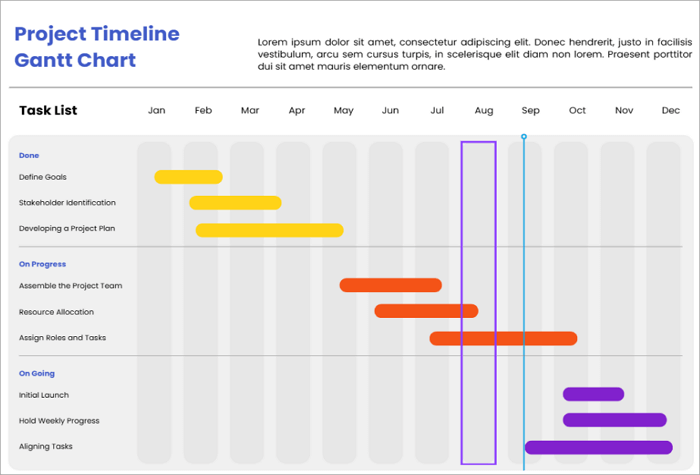
To make your own timeline roadmap, simply go to AiPPT.com and select a ready-made, fully customizable template.
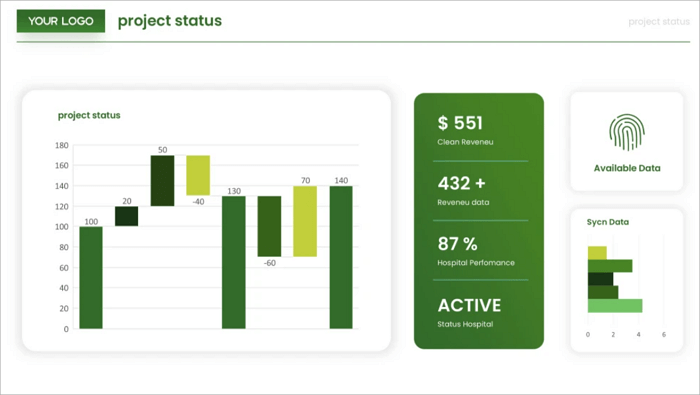
Check out this Green Dashboard style template from AiPPT. Its simple layout makes complex data feel more approachable. You can edit it online and download or share the link with your team.
2. Goal-oriented Roadmap example
A goal-oriented roadmap focuses on outcomes rather than dates. Instead of working on timelines, here you organize work around objectives and key results. Goal-oriented roadmaps are typically used in strategic growth projects where the “how” might change, but the “what” remains the same.
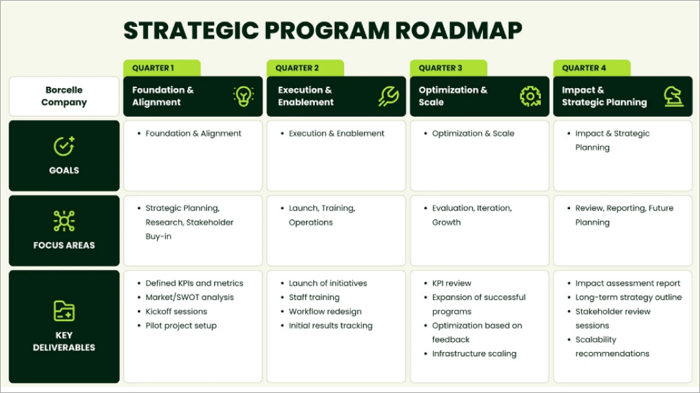
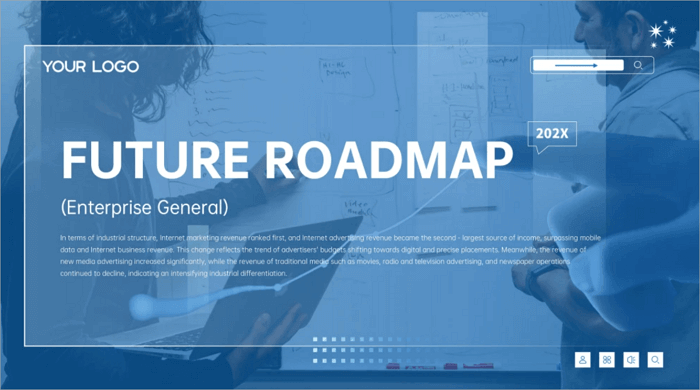
AiPPT.com offers a range of goal-oriented roadmap templates for you to choose from. Try this Corporate blue tech roadmap template for your next presentation! Its sleek, future-forward aesthetic is perfect for a professional strategy session.
3. Agile/Kanban Roadmap
A Kanban/Agile-style roadmap progresses through stages rather than having fixed timelines. In the roadmap structure, Columns represent workflow stages and cards represent features or tasks.
Kanban-style roadmaps are favored by software development teams, who need to stay lean and move fast. This type of roadmap is also used by product management and marketing teams.
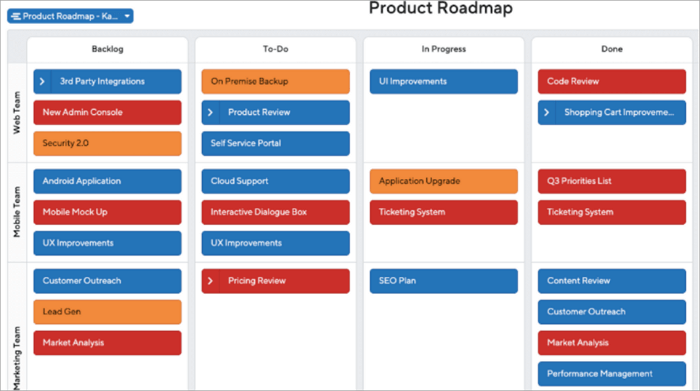
Customizing an AI-powered template from AiPPT.com is the easiest way to build your own Kanban-style project roadmap. Simply modify this Blue, clean, and professional business template from the site to align your team with the task at hand.
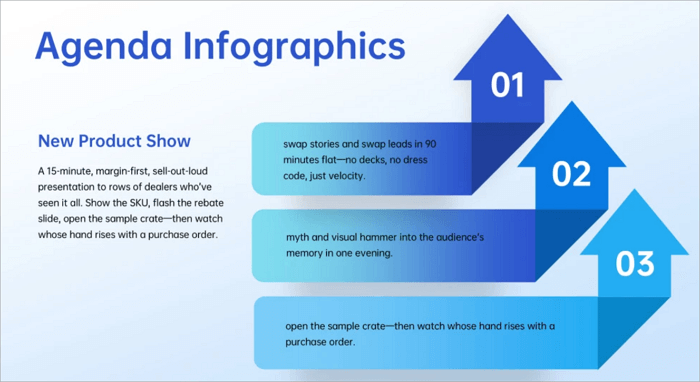
How to Create a Project Roadmap Step by Step
There is no shortage of roadmap frameworks out there. Most of them are more complicated than they should be. Here is a simple process for creating a project roadmap.
Step 1: Define the project scope
Before you open any tool or template, answer two questions. What problem is this project solving, and how will you know when it’s solved? Get alignment on the goal before you start mapping the path.
Step 2: Identify milestones and deliverables
Break the project into major chunks, not tasks. For example, you could have planning, development, testing, and launch as project phases. Each phase should have measurable deliverables.
Step 3: Assign timelines and Responsibilities
Decide who is doing what by when and estimate timeframes for milestones. Put a name against everything. This step improves accountability and transparency.
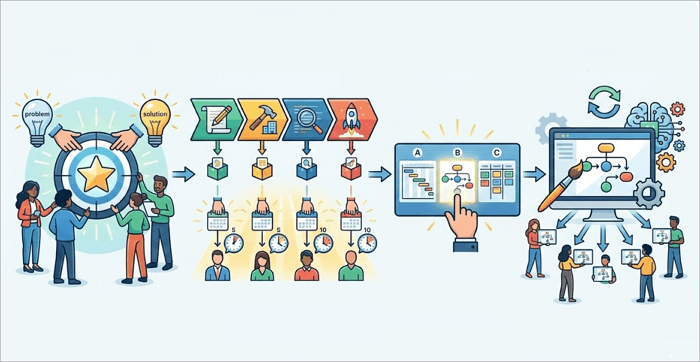
Step 4: Select the roadmap Format
Select a format from what we discussed above that best suits your project.
Pro Tip: The format should match your workflow.
Step 5: Build the format using a template
Find a suitable template from AiPPT’s template library and edit it according to your needs. Once it’s done, share it with everyone involved. And then, actually update oit it when things change.
Common Project Roadmap Mistakes and How to Avoid Them
Sometimes, even experienced project managers run into trouble when creating a project roadmap. Here are the most common mistakes and how to fix them.
| What went wrong | How to fix |
|---|---|
| 1️⃣ Too many details | Keep it high-level and save the details for the project plan |
| 2️⃣ Unrealistic timelines | Build in a “buffer” time for unforeseen delays |
| 3️⃣ No stakeholder input | Review goals with your team before finalizing |
| 4️⃣ Roadmap becomes a static document | Treat it as a living document. Update regularly |
Avoiding these problems makes the roadmap more useful as a strategic tool.
Conclusion
A project roadmap is no magic fix. Plenty of projects with beautiful roadmaps still go sideways.
But here is what a good roadmap does reliably: it creates a shared starting point. It means that when things shift, and they will, your team is calibrating from the same baseline instead of five different ones.
The projects that tend to go smoothest aren’t the ones with the most detailed plans. They are the ones where everyone genuinely understands the goal, knows their role, and has a clear way to see how pieces connect. A roadmap is the simplest tool to make that happen.
And you know where you can find actionable project roadmap examples for the next project. Just visit AiPPT.com
FAQs on Creating a Project Roadmap
Many understand the idea of roadmaps, but still have questions about how to build them using real tools.
1. How to make a roadmap for a project in PowerPoint?
- Open PowerPoint and choose a blank slide.
- Insert a horizontal timeline using shapes or SmartArt. Add milestones along the timeline.
- Label each milestone with a deliverable.
- You can use colors or icons to distinguish project stages.
2. How to create a roadmap in Project Online?
Project Online provides built-in roadmap features.
- Open the Project online and go to the roadmap section.
- Click Create New Roadmap.
- Add projects or milestones to the roadmap.
- Define start dates and task owners. You can connect this project roadmap to your existing project web app or Azure boards to pull real-time data.
You can now share the roadmap with stakeholders.
3. How do you define a roadmap?
A roadmap shows direction, the goals, phases, and major milestones at a high level.
A project plan gets into details. Tasks. Dependencies, deadlines, and resource allocation. You need both, but they serve different audiences. The roadmap is for everyone. The project plan is for people doing the work.