Having the most attractive slides doesn’t make your presentation effective. Aesthetics may help in reality, but you need more than that to create an effective presentation.
Basically, your audience must understand the message you’re passing across, remember it after your presentation, and know what action to take.
This guide covers what makes presentations effective, how to create them, and how to deliver them confidently.
🗝️ Key Takeaways:
- Start with a clear objective before designing slides.
- Focus on your audience’s needs rather than your own agenda.
- Build your presentation around a core message.
- A clear structure helps your audience follow and retain information.
- Visuals should support your message, not replace it.
1️⃣ What Makes a Good Presentation?
Good presentations are not measured by how many slides they contain or how impressive the animations look. They are measured by how well they communicate a message and engage your audience.
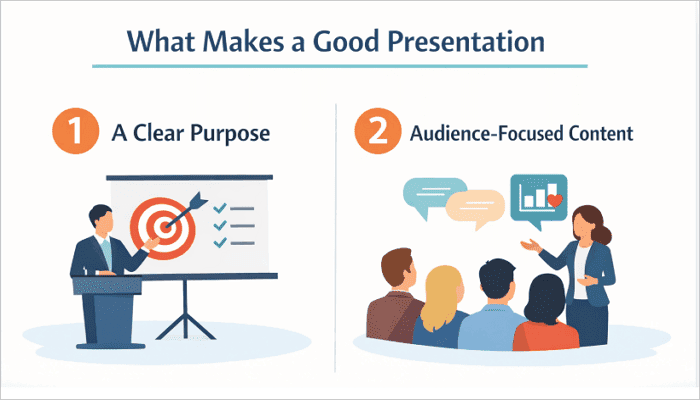
1. A Clear Purpose
You must give your presentation an objective before you even begin. Determine what you want your audience to learn, understand, believe, and do after the presentation. This can help guide you on what to include, what to cut, and how the structure should flow.
For example, the goal of a sales presentation is to persuade potential customers, and your content should work towards this goal.
2. Audience-Focused Content
Every time you stand in front of an audience, ensure that you say what they need to hear. Understand what they already know, what their interests are, the problems they’re trying to solve, and what they expect from you. This helps them stay engaged and retain information better.
3. A Strong Core Message
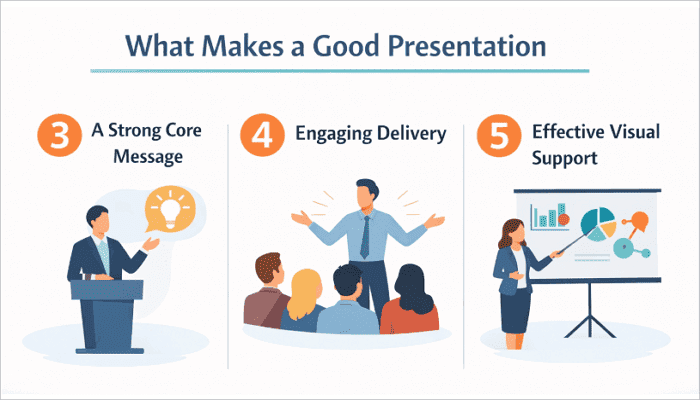
Most listeners won’t remember every single point you mention in your presentation. What they usually remember is one or two key ideas that resonate with them. So, build your presentation around a central message that connects every section together. Think of it as one sentence that can be used to summarize your entire presentation.
4. Engaging Delivery
Effective presentations are also known to have strong delivery. Your tone of voice, pacing, confidence, enthusiasm, and ability to make eye contact all influence how well an audience receives your message. People will trust and remember speakers who appear knowledgeable and genuinely interested in their topic.
5. Effective Visual Support
Slides shouldn’t compete with you; they should support you instead. You can use visuals such as charts, images, and layouts to help the audience understand your message more quickly and deeply.
2️⃣ The Essential Elements of an Effective Presentation
Presentations don’t become effective because of a single impressive feature. Multiple elements, including structure, storytelling, design, and engagement, all work together to create a great presentation.
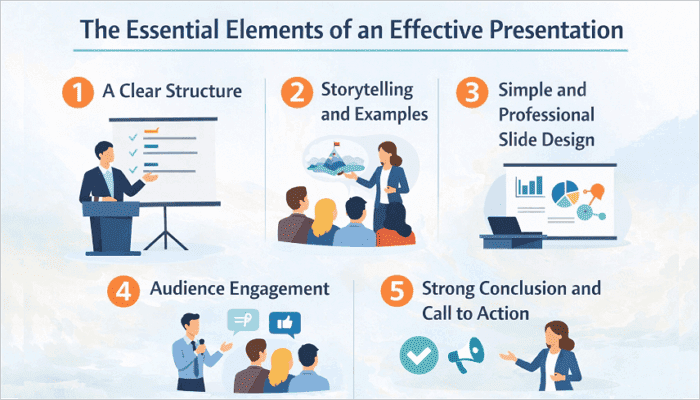
1. A Clear Structure
Organizing a presentation in a logical flow helps your audience follow information without becoming confused or overwhelmed.
The introduction establishes context and expectations, while the body presents key information and supporting evidence. The conclusion reinforces important points and provides closure.
2. Storytelling and Examples
People are more likely to remember presentations that connect with their emotions better. Storytelling can help you achieve that. It could be personal stories, customer stories, case studies, or real-world examples that they can relate to.
3. Simple and Professional Slide Design
Your slide design also affects how effective your presentation can be. Always use readable fonts, consistent layouts, and limited text. Also, avoid excessive animations that may distract from the message.
4. Audience Engagement
You must also keep your audience actively engaged to ensure your presentation is effective. Ask questions, encourage participation, introduce surprising insights, and vary your pace to sustain their interest throughout your session.
5. Strong Conclusion and Call to Action
Many presentations lose momentum because they end abruptly. With a strong conclusion, you can reinforce the key message and clearly communicate what the audience should remember or do next.
3️⃣ Tips for Presenting a Presentation: Step-by-Step Guide
It is one skill to create an impressive presentation and another to deliver it effectively. To make a great presentation, you need proper preparation and execution.
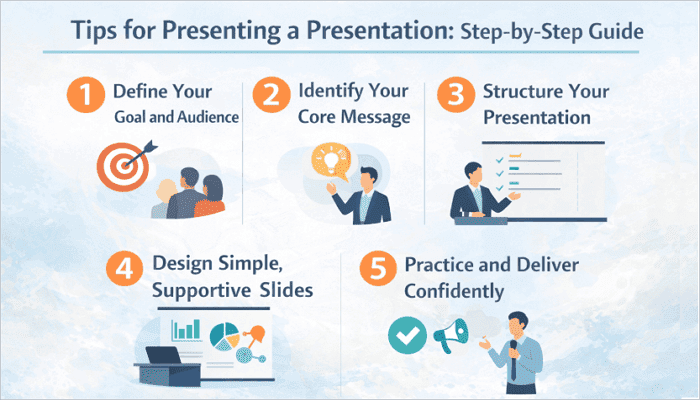
Step 1: Define Your Goal and Audience
Clarify what you want people to learn or do right from the start. When you understand your audience’s knowledge level, interests, and expectations, it becomes easier to create content that resonates with them.
Step 2: Identify Your Core Message
Identify the single idea you want people to remember, even after you’ve finished your presentation. Ensure that every slide and point you make reinforces this central theme.
Step 3: Structure Your Presentation
Organize your content into a clear introduction, body, and conclusion. This creates a logical flow that helps keep your audience engaged throughout.
Step 4: Design Simple, Supportive Slides
Always design slides that are clear and readable. This should be your priority. Visuals, charts, and images should reinforce your points, not distract from them.
Step 5: Practice and Deliver Confidently
Rehearse several times to improve your timing, tone, and familiarity with the content. Maintain eye contact, speak clearly, and engage your audience naturally to make a stronger impression.
4️⃣ How AI Can Help Create Excellent Presentations
AI is rapidly changing how we approach and create presentations today. Instead of spending hours organising content and designing slides manually, there are now AI tools to help streamline this process.
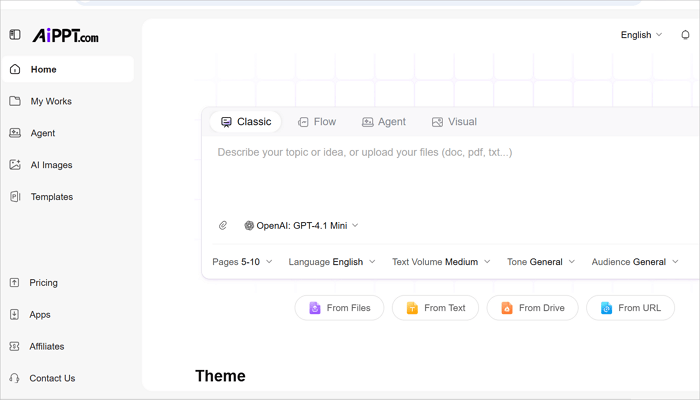
AiPPT.com is a practical example of this innovation. The tool can quickly generate presentation outlines, organize ideas, build professional slide designs, and maintain visual consistency across slides, giving you more time to focus on delivery.
💡 Key Features of AiPPT.com
- One-click slide generation from text, document, or URL.
- Access to 200,000+ templates across business, education, marketing, and more.
- Edit and export presentations to PPT, PDF, and JPG formats.
- Real-time collaboration with team members.
- Nano Banana Pro integration to generate high-quality visuals seamlessly.
Conclusion
Strong presentation skills can make a meaningful difference in school, business, leadership, and everyday communication by making your message more memorable.
When you want to create an effective presentation, focus more on helping people understand and act on your ideas in a clear and confident way. This is how most audiences judge presentations.
The next time you prepare a presentation, focus on your audience, strengthen your message, and apply the strategies covered in this guide.
Learn More About Effective Presentation Techniques
Now that you understand the fundamentals, here are answers to some common questions about presentation best practices.
1. What are the 10 qualities of a good presentation?
It helps to understand what makes a presentation effective before starting. The qualities of a good presentation include:
- A clear purpose
- Audience-focused content
- A strong core message
- Logical structure
- Engaging storytelling and examples
- Clean slide design
- Confident delivery
- Good pacing
- Relevant visuals
- Memorable conclusion
2. How to create an effective presentation in PowerPoint?
To create an effective presentation in PowerPoint:
- Go to View > Outline to plan your content.
- Switch to Normal view and choose a minimal theme from the Design tab.
- Limit each slide to one key idea and use visuals or short bullets instead of paragraphs.
- Use Slide Master (View > Slide Master) to maintain font and color consistency across the deck.
- Insert charts, SmartArt, or images to replace text-heavy slides where possible.
- Run Presenter View during rehearsal to practice with speaker notes visible.
3. What are the five presentation techniques?
The five core presentation techniques include:
- Storytelling
- Audience interaction
- Strategic pauses
- Use of visuals
- Confident body language
These techniques can help you maintain attention, improve understanding, and create stronger connections with your audience.