Did you know you can easily access AI presentation software with a lifetime membership? A plan like this usually gives you long-term access to presentation tools, templates, editing features, and AI generation.
However, this doesn’t always mean unlimited AI usage. Some plans still have credit, generation, or feature restrictions.
In this article, we’ll explore popular options that offer lifetime access, compare their main features, and highlight what you should check before paying for one.
Key Takeaways
- You can reduce long-term subscription costs with a lifetime membership.
- Check AI credits, generation limits, exports, and future updates before buying.
- AiPPT.com is a strong overall option for creating and exporting presentations.
Best AI Presentation Software With Lifetime Membership
Before going into the individual features, let’s quickly see how these AI presentation tools compare to one another.
| Tools | Lifetime plan | Main Strength | Best for |
| AiPPT.com | Yes | Complete presentation workflow | Overall use |
| Smallppt | Yes | Broad AI features | AI content use |
| SlideSpeak | Limited offer | Document-based workflow | Existing files |
| PPT.com.ai | Yes | Simple AI generation | Quick presentation creation |
1. AiPPT.com
AiPPT.com stands out as one of the most complete options among AI presentation software tools offering lifetime access. Its lifetime plan costs $108 for the Plus and $140 for the Pro, offering:
- Up to 1200 AI credits every month.
- Import from local files.
- PPT/PDF/Image export.
- Advanced AI slide generation model.
You can easily start a presentation on this platform with an idea, text, document, reference file, Google Drive content, or URL.
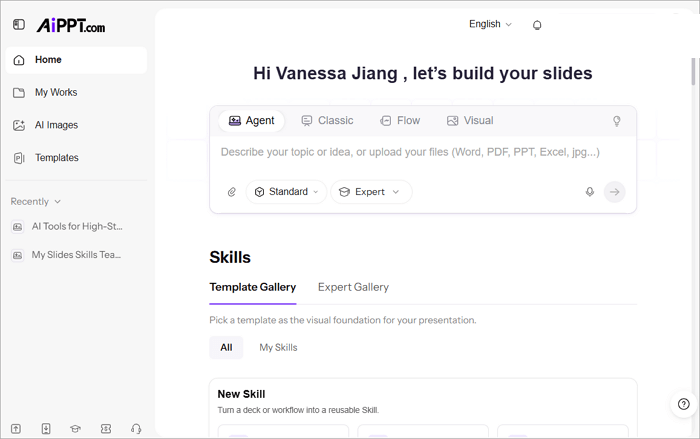
With AiPPT.com, you can also:
- Choose templates for different topics, styles, and presentation needs.
- Refine every slide through natural chat.
- Create slides using Agent, Classic, Flow, or Visual modes.
| Pros | Cons |
| Lower upfront cost than some competing lifetime plans | AI credits are not unlimited |
| Works well for users who want an all-in-one presentation tool | |
| Access to eligible future features without buying another plan |
2. Smallppt
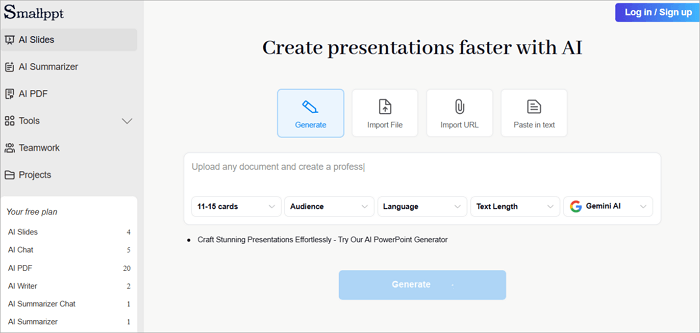
This AI presentation software takes a slightly different approach from others in its workflow. Alongside AI slide creation, Smallppt includes tools such as:
- AI writing
- Summarization
- Chat
- Mind maps
- PDF-related features
Its current lifetime plan is listed at $299.99 as a one-time payment, with unlimited slide generation, template use, AI writing, summarization, and export to PDF or PPT.
Pros
- Wide range of AI content tools
- Real-time team collaboration
- Massive slide template library
Cons
- Lifetime tier costs more upfront than most rivals
- Some tools are usage-capped even on paid plans
3. SlideSpeak
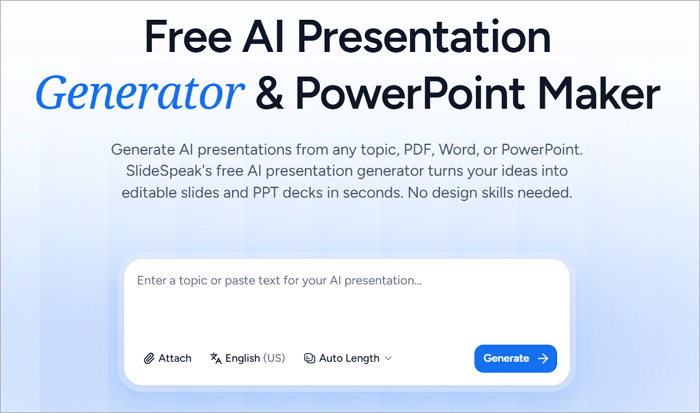
SlideSpeak is another lifetime AI presentation maker you’ll find particularly useful when working with existing files and documents. Its platform can turn Word files, PDFs, Excel files, and text into presentations, making it a popular option among people who regularly transform reports and documents into slides.
SlideSpeak also offers features such as:
- Document interaction
- Summarization
- Presentation assistance
- Exports to PowerPoint and PDF formats
At the time of writing, SlideSpeak lists its Lifetime Access Premium Plus plan at $359, reduced from an original price of $599. Since lifetime pricing and availability can change, check the current plan details before purchasing.
Pros
- Excellent for existing documents
- Strong document interaction features
- Presentation and summarization tools
Cons
- Higher upfront cost than some alternatives
4. ppt.com.ai
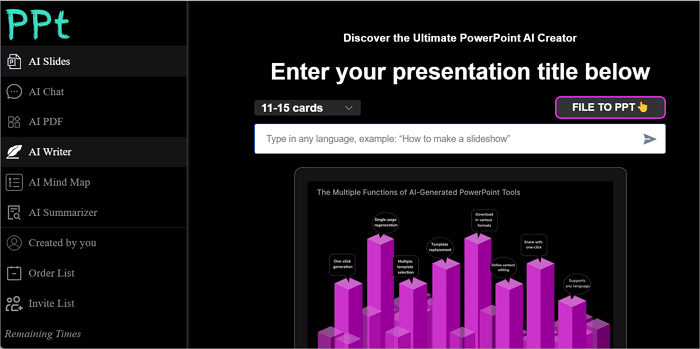
When it comes to simplicity and straightforward presentation generation, ppt.com.ai stands out. Instead of focusing heavily on presentation workflows, it combines slide generation with AI tools for writing, summarizing, chatting, mind mapping, and working with reference content.
ppt.com.ai is currently priced at $299.99 for a lifetime plan, which is also a limited-time discount. This plan features:
- Unlimited slide generation
- Template replacement
- AI writing and summarization
- AI chat
- PDF/PPT export
Pros
- Simple presentation workflow
- Multiple input methods, including web links, local files, and PDFs
- PPT/PDF export
Cons
- May be less suitable for users seeking a broader presentation ecosystem
What to Check Before Buying a Lifetime AI Presentation Plan
A lifetime plan can look attractive because you pay once and it may seem like affordable AI presentation software. However, there are several things you should check before committing to any of these tools.
✅ AI credits: Find out how many credits are included and whether they renew.
✅ Generation limits: Check whether presentations, slides, images, or AI edits have separate limits.
✅ Editable PowerPoint export: Confirm that exported PPT files can be edited normally.
✅ Future updates: See whether your plan includes new features and models.
✅ Watermarks: Check whether exports contain branding or other restrictions.
✅ Refund policy: Understand the refund window before making a one-time payment.
✅ Promotional pricing: Determine whether the lifetime price is permanent or a temporary offer.
Conclusion
The right AI presentation software with lifetime membership depends on how you create slides and how frequently you use AI features.
If you want one platform that combines generation, templates, editing, multiple input methods, and exports, AiPPT.com is the strongest overall option in this comparison. Users focused on documents may prefer SlideSpeak, while Smallppt and ppt.com.ai offer broader or simpler alternatives.
But before purchasing a lifetime plan for any of these tools, remember to compare the upfront cost with your expected usage and check the latest AI credit allowance, export options, and lifetime terms.
FAQs on Lifetime AI Presentation Maker
Are you still comparing options for the best AI presentation software with lifetime access? The answers here can help you make a decision much more quickly.
1. How to use AiPPT.com to make presentations?
To generate a presentation on AiPPT.com, follow these steps:
- Go to AiPPT.com and sign in or create a new account.
- Select the option to start creating a presentation.
- Enter your topic or provide source material such as a document, reference file, or URL.
- Review the generated outline and choose a suitable template.
- Then generate the slides.
- Edit the deck in AiPPT.com and export it for further work in PowerPoint.
2. Which AI presentation software offers lifetime membership?
Several tools currently advertise lifetime options, including AiPPT.com, Smallppt, SlideSpeak, and ppt.com.ai. You should know that availability and pricing can change, so check each provider’s current pricing page before purchasing.
3. Does lifetime membership mean unlimited AI presentations?
Not necessarily. A lifetime membership generally refers to how long you can access the paid service, not unlimited consumption of every AI feature. Some providers impose credit or generation limits. AiPPT.com, for example, mentions that lifetime members do not receive unlimited AI credits, even though their membership remains permanent.