For many people, PowerPoint is the tool they open before a class presentation or a business meeting. While that is very much valid, it’s only a small fraction of what the software can be used for today.
The uses of MS PowerPoint extend far beyond creating slide decks. It has become popular among individuals, educators, marketers, and businesses for designing visual content, building training materials, creating videos, and producing professional documents.
In this guide, you’ll discover practical ways to use PowerPoint that go well beyond presentations and learn how to get even more from the software.
Why PowerPoint is More Than a Presentation Tool
The flexibility that PowerPoint offers comes from the wide range of features built into it. Aside from its slideshow abilities, the tool combines design, multimedia, and collaboration features in one place.
Here’s why it’s so versatile:
- Ready-made templates: Speed up the design of brochures, resumes, company profiles, and certificates.
- Multimedia support: Combine videos, audio, and animations to produce training materials and promotional content.
- SmartArt, icons, and charts: Transform data into infographics, timelines, and process diagrams.
- Export options: Save projects as PDFs, images, or MP4 videos for easy sharing and distribution.
- Collaboration tools: Enable teams to co-create proposals, reports, and marketing materials efficiently.
Discover 10 Practical Uses of MS PowerPoint
It doesn’t matter whether you’re a student, entrepreneur, teacher, or corporate professional. Here are 10 practical uses of Microsoft PowerPoint that might come in handy for you soon.
1. Delivering Business Presentations
Business professionals continue to rely on PowerPoint because it combines visual storytelling with its powerful presentation capabilities. For example, sales teams can create persuasive pitch decks, executives can build board reports, and startups can prepare investor presentations.
Charts, Presenter View, speaker notes, and real-time collaboration features are all helpful here, making it one of the most dependable uses of Microsoft PowerPoint in the workplace.
2. Teaching and Training Others
PowerPoint is also a common tool among teachers, trainers, and HR professionals looking to make learning more engaging and memorable. Whether delivering classroom lessons or employee onboarding sessions, they use animations, diagrams, videos, and interactive elements to explain difficult concepts more clearly than text alone.
3. Creating Marketing Materials
Beyond creating slides, many small businesses use PowerPoint to design brochures, flyers, posters, product sheets, and social media graphics.
Its drag-and-drop interface is much easier to learn than professional graphic design software. This allows teams to create attractive promotional materials without having extensive design experience.
4. Designing Infographics
Microsoft PowerPoint features built-in SmartArt options, icons, shapes, and customizable charts that make it easier to create infographics. Businesses often use these tools to visualize timelines, workflows, project roadmaps, or company statistics.
Instead of presenting raw numbers, you can transform complex information into visuals that are much easier to understand for your audience.
5. Building Company Profiles
Organizations frequently create company profiles in PowerPoint when introducing themselves to clients, investors, or business partners. These presentations typically include company history, services, achievements, team members, and customer success stories.
You can take advantage of PowerPoint’s templates and consistent branding when creating these documents, especially if you have little design experience.
6. Producing Videos and Animated Content
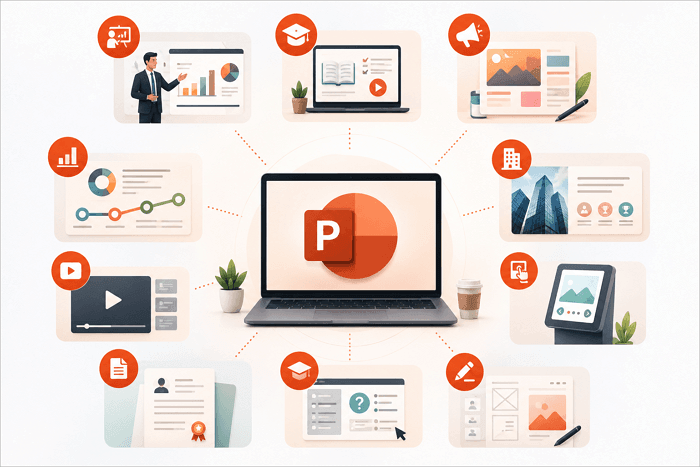
Many people don’t realize PowerPoint can also export presentations as MP4 videos. You can easily combine animations, transitions, voiceovers, and screen recordings to create tutorials, product demonstrations, or promotional videos without learning how to use advanced video editing software like Adobe Premiere Pro. This makes content production faster and more accessible.
7. Creating Interactive Kiosks and Digital Signage
PowerPoint can run self-playing presentations that loop automatically with clickable navigation buttons for kiosks and digital displays.
Several businesses use these presentations at trade shows, hotel receptions, museums, and retail stores to showcase products, services, or visitor information without requiring a presenter.
8. Designing Personal and Professional Documents
Individuals and corporations are beginning to realize the uses of PPT presentations for creating resumes, portfolios, certificates, invitations, newsletters, and event programs. Its drag-and-drop interface makes it easy to freely position text, images, and shapes, giving you greater creative control than Microsoft Word.
9. Developing eLearning Content
PowerPoint supports interactive learning among students and professionals by allowing users to add hyperlinks, action buttons, quizzes, and navigation menus. All of these features help educators and businesses create self-paced training materials that encourage participation instead of passive reading.
10. Creating Simple Websites and Storyboards
Designers and project teams often use PowerPoint to sketch website layouts, app screens, and storyboards before development begins. Its editable shapes, alignment tools, and quick formatting options allow ideas to be visualized and revised much faster than starting directly in specialized design software like Figma or Webflow.
How AI Is Changing the Way We Use PowerPoint
Instead of building slides manually, you can now generate complete presentations in minutes with AiPPT.com. Whether you’re preparing a business proposal, lesson plan, company profile, or marketing deck, the platform helps streamline the entire workflow.
Key Features:
- AI-powered presentation generation from prompts, documents, or URLs
- Automatic outline creation for well-structured presentations
- Wide range of modern, customizable slide designs
- Built-in AI image generation for visually engaging slides
- Editable PowerPoint exports
Here’s how to generate a presentation with AiPPT.com:
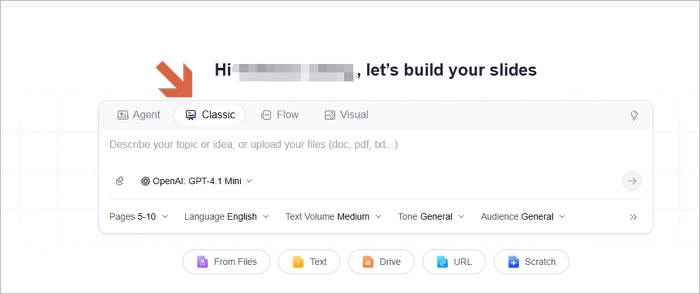
Step 1: Visit AiPPT.com and sign in or create a new account.
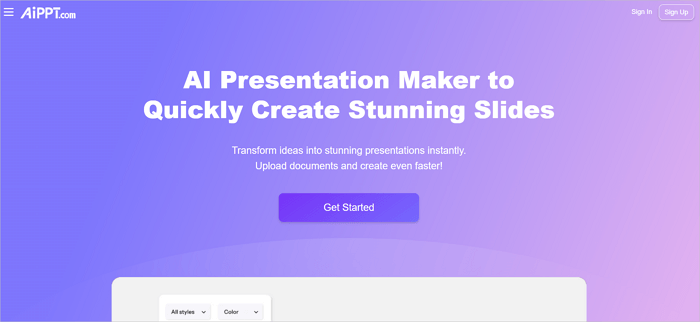
Step 2: Enter your presentation topic or upload a document.
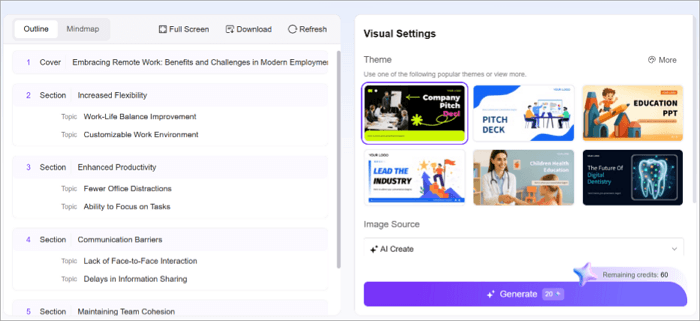
Step 3: Choose a template that matches your style or purpose.
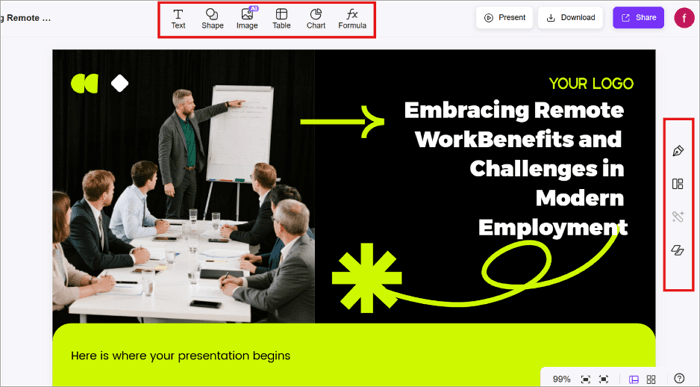
Step 4: Review and customize the generated slides by editing text, images, or layouts in the Insert menu or Design panel.
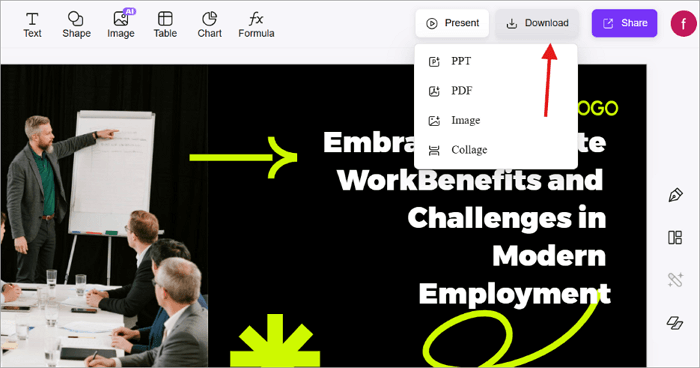
Step 5: Open the Download menu and export your presentation as a PowerPoint file.
Conclusion
As you’ve seen, the uses of MS PowerPoint extend far beyond classroom assignments and office presentations. It is useful for designing infographics, creating marketing materials, videos, and interactive learning content. This has made it an incredibly versatile productivity tool.
So the next time you start a new project, consider whether PowerPoint can help simplify the process before reaching for another application.
And if you want to work even faster, try using AiPPT.com to generate professional presentations, organize your ideas, and bring your content to life.
Learn More About Uses of Slides
Still have questions about how PowerPoint fits into everyday work and study? Here are quick answers to a few common ones.
1. What is the primary purpose of Microsoft PowerPoint?
The primary purpose of Microsoft PowerPoint is to create visual presentations that communicate ideas clearly. It combines text, images, charts, videos, animations, and multimedia into organized slides that support meetings, lessons, reports, and presentations.
Today, however, PowerPoint is beginning to have more extensive uses beyond traditional slide presentations.
2. What are the 5 uses of PowerPoint for students?
PowerPoint is a popular tool among students. It is used in creating:
- Class presentations
- Research projects
- Study notes
- Group assignments
- Academic portfolios
They also use it to create infographics, timelines, and revision materials, making it one of the most versatile classroom applications.
3. What is PowerPoint used for in education?
PowerPoint presentations are widely used as teaching materials in schools, colleges, and corporate training programs.
Educators use PowerPoint to explain concepts with visuals, create interactive lessons, deliver online learning materials, and develop self-paced training modules. Its multimedia and interactive features help improve engagement and retention.