2026 World Health Day PPT & Google Slides Templates
Use professional World Health Day PPT & Google Slides templates. Perfect for April 7th health awareness and medical equity presentations.
These “Medical Blue” layouts align with WHO standards. Ensure your World Health Day PowerPoint stays clean, professional, and trustworthy.
Download free, fully editable presentation templates. AiPPT makes sharing public health, safety, and mental health topics fast and easy.
Create Unique PPTs from a Single Prompt with AiPPT
About World Health Day & Presentation Templates
World Health Day is observed every year on April 7 to commemorate the founding of the World Health Organization (WHO) in 1948. The event raises global awareness about major public health challenges and encourages governments, healthcare professionals, and communities to promote healthier lifestyles and stronger healthcare systems.
First celebrated worldwide in 1950, World Health Day has become one of the most important international health awareness campaigns. Each year, WHO highlights a specific theme focused on issues such as disease prevention, mental health, healthcare access, and public health equity.
To support awareness activities and educational events, many organizations and educators use World Health Day PPT and Google Slides templates to present health information clearly and professionally. Well-designed presentation slides help simplify complex medical topics and make health messages easier for audiences to understand.
Professional World Health Day presentation templates are commonly used for:
- Public health awareness campaigns
- Hospital or medical training sessions
- School health education programs
- NGO and community outreach events
- Government or policy presentations
Most healthcare presentations use the classic “Medical Blue” color (#2E86AB), which represents trust, safety, and professionalism. Using structured PowerPoint or Google Slides templates allows presenters to quickly create clear, professional slides without designing layouts from scratch.
With editable World Health Day PPT templates, presenters can easily share important topics such as disease prevention, healthcare safety, mental health awareness, and global health initiatives.
Convert to PPT Instantly with One-Click AI

PDF to PPT
Quickly convert PDF files into presentation slides.

Word to PPT
AI transforms Word documents into slides quickly.

PPT to PDF
Export PowerPoint slides as PDF documents easily.

JPG to PPT
Turn JPG images into ready-to-use PPT slides.

Text to PPT
Generate full presentation slides from plain text.

PPT to JPG
Save each slide as a high-quality JPG image fast.

PNG to PPT
Convert PNG files into presentation slides fast.

PDF to PPT
AI efficiently converts PDFs into slides for you.

PPT to PNG
Convert slides into PNG images quickly and easily.
World Health Day Presentation FAQs
What does World Health Day celebrate?
World Health Day celebrates global efforts to improve public health and wellbeing. The event raises awareness about major health challenges and encourages individuals, communities, and governments to promote healthier lifestyles and stronger healthcare systems. It is organized each year under the leadership of the World Health Organization.
When is World Health Day celebrated?
World Health Day is celebrated every year on April 7 to mark the founding of the World Health Organization in 1948. The day highlights important global health topics and encourages awareness campaigns, educational programs, and community activities focused on improving public health worldwide.
What is the purpose of World Health Day?
The purpose of World Health Day is to increase awareness about global health issues and encourage actions that improve healthcare access, disease prevention, mental health support, and public health education. Each year, a specific theme helps focus attention on a priority health challenge.
What color is commonly used for World Health Day presentations?
Medical and healthcare presentations often use blue color palettes, especially the medical blue tone (#2E86AB). Blue represents trust, safety, professionalism, and healthcare reliability, which is why it is commonly used in World Health Day slides and public health presentations.
What should be included in a World Health Day presentation?
A typical World Health Day presentation may include topics such as:
- Global health awareness
- Disease prevention strategies
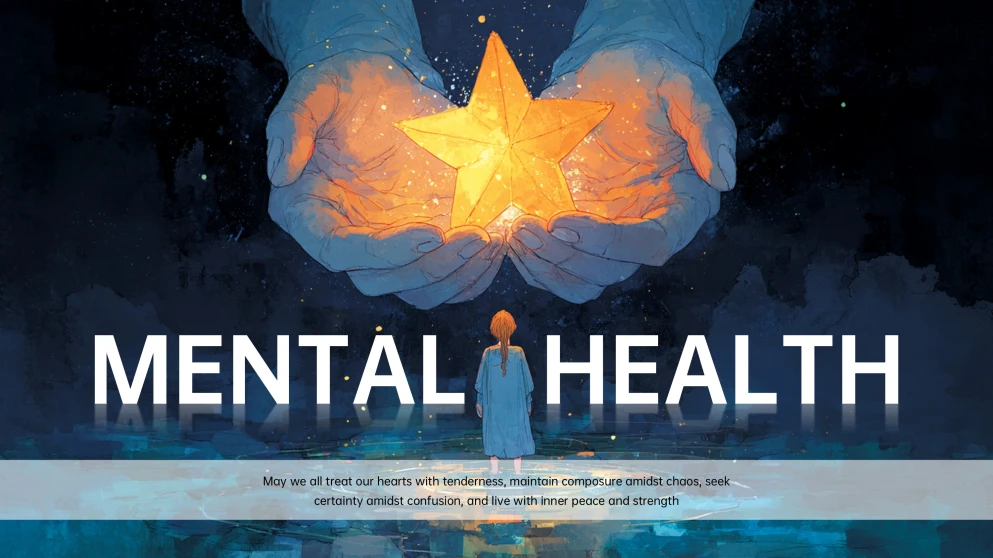
- Mental health education
- Healthcare equality and accessibility
- Current global health initiatives
Using structured PowerPoint or Google Slides templates helps organize these topics clearly and professionally.
Where can I download World Health Day PPT templates?
You can download World Health Day PPT templates and Google Slides presentations from presentation platforms like AiPPT. These templates are designed with professional medical layouts and editable slides, making them suitable for public health campaigns, education programs, and awareness events.
Are World Health Day PPT templates free to download?
Many World Health Day PPT templates are available for free download, including editable slides designed for PowerPoint and Google Slides. Free templates usually include basic layouts, medical-themed designs, and customizable elements that allow users to quickly create health awareness presentations.
How do I create a World Health Day presentation quickly?
The easiest way to create a presentation is by using a ready-made World Health Day PowerPoint or Google Slides template. Simply replace the placeholder text, add your data or campaign information, and customize the slides to match your presentation topic.
Can I use AiPPT to generate World Health Day presentations for free?
Yes. AiPPT allows users to generate presentation drafts and slide structures quickly. Many templates and AI-generated layouts are available for free, helping users create professional World Health Day presentations and slides in just a few minutes.
More Google Slides Tutorials


How to Make an Image Transparent in Google Slides

How to Select Multiple Slides in Google Slides

How to Convert Google Slides to PowerPoint (2 Methods)