Global Health Seminar PPT

Sophia
Sophia・Jun 22, 2026
Global Health Seminar PPT
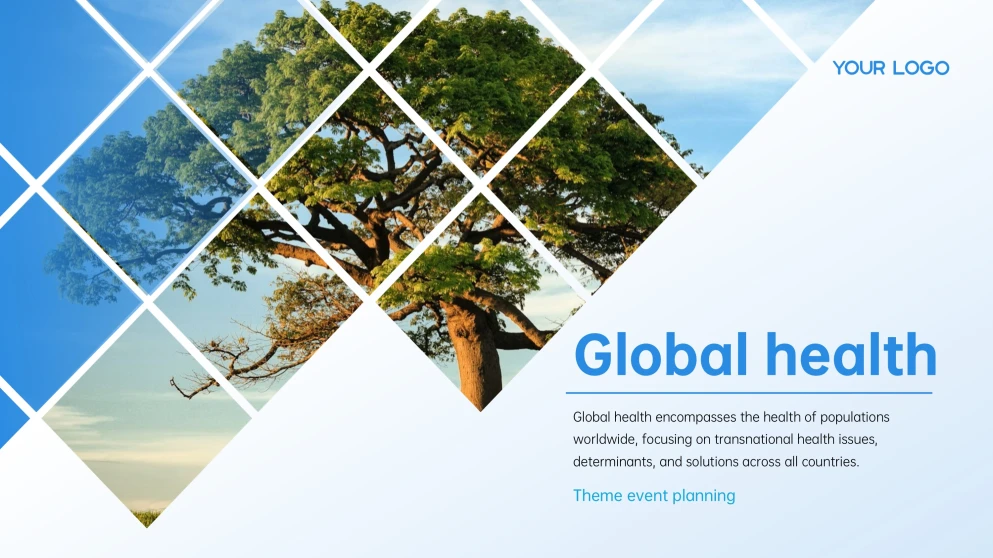
🌟 Vibrant blue and green tones feel very fresh.
🌟 Dynamic data charts make numbers easy to read.

A global health seminar offers a chance for participants to enhance their understanding of complex health crises, promote evidence-based policymaking, and strengthen professional networks. It can improve healthcare equity and response strategies on a large scale. If you need to deliver a speech in this seminar as a medical professional, a PPT may be a handy tool to impress the audience. Here is a ready-to-use global health PowerPoint template that you can use directly. The color palette is pulled straight from the outdoors, including earthy greens, sky blues, and warm wood tones, making it feel grounded yet hopeful. You'll find a great mix of bold data visualizations, including stacked charts and progress rings, which can be used to show a project timeline or milestones.

If you are looking for a medical presentation template, this one you cannot miss since it is free and aesthetic in AiPPT, with various graphics and layouts.

  • 15 slides for a professional presentation about global health.

  • Work with PowerPoint, Google Slides, Keynote, and Canva.

  • All the elements are contained in a 7.8MB pack.

  • Includes lines, icons, backgrounds, images, charts, and graphics.

  • Vibrant blue and green tones feel very fresh.

  • Dynamic data charts make numbers easy to read.

Customizing Your Global Health PowerPoint Template

This global health presentation template's layout stands out with its creative diamond-tile mosaic and refreshing nature-inspired aesthetic. The blend of crisp geometric grids and organic greenery creates a professional yet approachable backdrop for any global health discussion. To help you build a high-impact deck, consider the following six strategies about color harmony and spatial balance to keep your audience focused on your key message while maintaining a polished appearance throughout.

Leverage The Natural Color Palette

Use the sky blue and leaf green tones from the tree image for your fonts and accents. This creates a cohesive visual identity that feels grounded and professional throughout.

Enhance Data With Progress Rings

Apply the circular percentage charts to show key metrics like community engagement or awareness levels. These shapes mirror the organic feel of the tree while being easy to scan.

Highlight Key Statistics In Bold

Make important figures stand out by using a larger font size and a high-contrast color. Large numbers against the white background draw the eye instantly to your most vital data.

Select Clean Sans-Serif Typography

Pair the sharp geometric elements with a modern, simple font to maintain a professional look. This ensures that even dense information remains legible and visually light.

Apply Consistent Iconography Styles

Choose simple, thin-line icons for categories like "General Public" or "Policy-makers". Consistency in icon weight prevents the slides from looking cluttered or mismatched.

Balance Photos With Graphic Elements

Mix high-quality nature photography with the template's abstract data charts. This balance keeps the presentation engaging by alternating between emotional and analytical visuals.

Frequently Asked Questions

Expand all