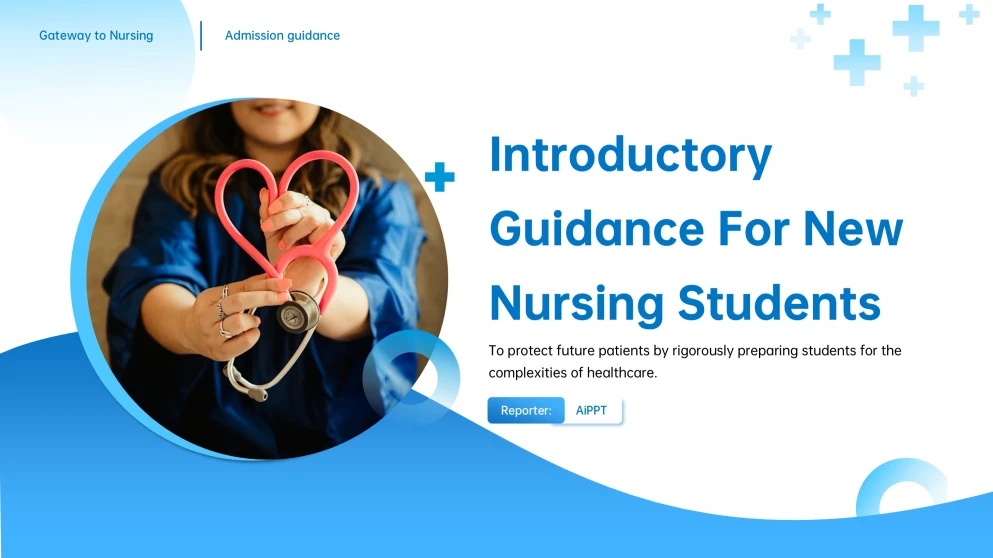
This pre-nursing orientation PPT template offers a professional yet accessible aesthetic perfectly suited for healthcare or academic environments. It utilizes a clean, modern layout that prioritizes clarity and scannability, making it an excellent choice for anyone needing to present complex roadmaps or educational data. The color palette is grounded in trustworthy blues and crisp whites to create a calm, focused atmosphere. Decorating elements include minimalist icons and structured content blocks, which help break up dense information into digestible sections like "Myths vs. Facts" or "Curriculum Roadmaps". If you are looking for a template that balances intellectual rigor with a user-friendly feel, this is a fantastic pick. It's designed to guide an audience through a journey while keeping the visual focus sharp and organized.
How to Choose the Best PPT Template for Medical Presentations
Creating a healthcare presentation is simple with professional powerpoint medical design templates. First, select a medical slides template that fits your topic, from clinical data to patient care. Look for a clean ppt template for medical use to ensure clarity. Our collection offers diverse medical powerpoint templates to help you communicate health information effectively.
Mastering the Pre-Nursing Orientation PPT Template Layout
This pre-nursing orientation PPT template offers a sophisticated, healthcare-inspired design featuring structured progress timelines and side-by-side comparison layouts to enhance clarity. Its minimalist aesthetic uses high-contrast headers and modular blocks to organize complex requirements into digestible visual segments. To maximize this deck, you can refer to the 4 design tips below. These design-centric tips ensure your presentation remains professional, scannable, and highly impactful.
Leverage the Multi-Year Timeline Layout
Use the sequential year markers to visualize long-term projects or growth strategies. This helps the audience grasp the timeline of events at a glance without feeling overwhelmed by dense text blocks.
Highlight Key Success Metrics
Place critical percentages or "bottom-line" figures in the dedicated large-font callout boxes. This ensures essential data isn't lost in the finer details.
Group Skills with Iconography
Use the modular competency blocks to categorize technical skills or requirements. This keeps lists organized and prevents a "wall of text" feel for viewers.
Color-Code Progress Gates
Assign specific shades of blue or gray to different "phases" of a pipeline. This visual shorthand helps the audience track where they are in a process.
Frequently Asked Questions
What is the primary visual goal of this design?
How are complex schedules handled?
Is there a way to display course prerequisites?
Try the Blue Creative Pre-nursing Orientation PPT Template