Creating presentations is a task you’ll be doing frequently as a student, teacher, or professional. It comes in handy when you’re explaining a concept, pitching an idea, or sharing research findings.
But how do you choose a presentation tool to work with?
You’ll find several options, but the most common ones are Microsoft PowerPoint and Apple Keynote — often regarded as a PowerPoint equivalent on Mac. Although both are powerful and capable of producing great slides, they serve different needs.
That’s why the Keynote vs. PowerPoint debate keeps coming up. So, we have created this guide to help you make the right choice.
Key Takeaways:
- Your device and workflow influence your choice between Keynote and PowerPoint.
- Keynote is ideal for Apple ecosystem users who value design simplicity.
- PowerPoint allows collaboration — particularly across different platforms.
- PowerPoint’s .pptx format is the industry standard.
- Keynote is often regarded as a PowerPoint equivalent for Mac.
Keynote vs. PowerPoint at a Glance
Keynote and PowerPoint are both great tools when it comes to building presentations. However, there are notable differences between them, which we will explore here.
| Feature | Keynote | PowerPoint |
| Platforms | macOS, iOS, iCloud | Windows, macOS, Web, Mobile |
| Pricing | Free for Apple device users | Microsoft 365 subscription |
| Collaboration | iCloud sharing | Real-time via Microsoft 365 |
| Design strengths | Polished themes, cinematic animations | Large template library, add-ins |
| Typical users | Apple users, designers | Students, businesses, educators |
| File format | .key | .pptx |
Generally, Keynote is preferred by Apple users who want strong design aesthetics with minimal effort. You’ll find PowerPoint as a more common choice in professional environments, where seamless collaboration and compatibility with various operating systems are crucial.
What is Keynote?
Keynote is Apple’s presentation tool built primarily for macOS and iOS. It is widely seen as the Apple equivalent of PowerPoint, and comes pre-installed on most of its devices.
Keynote’s Main Strengths
One of the biggest advantages of using Keynote is the visual design quality it brings to your presentations. The clean built-in themes give you more time to refine your content, rather than adjusting layouts.
Its transitions are also very smooth and cinematic. This makes your storytelling more interactive, especially during live presentations.
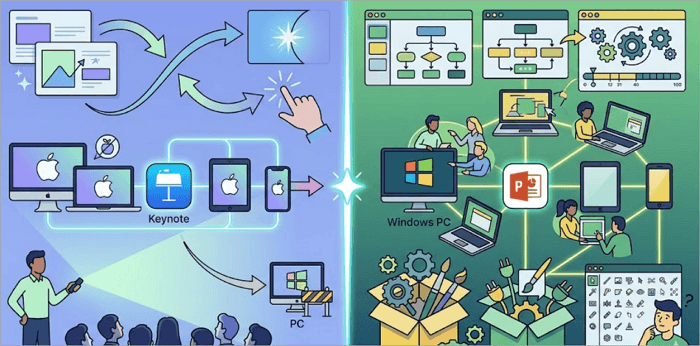
In addition, Keynote’s seamless integration across Apple devices gives it an edge. You can start a presentation on your Mac and continue editing on your iPhone or iPad.
Keynote’s Limitations
Keynote is built primarily for Apple devices, which can be a limitation as much as a strength. If you’re collaborating or sharing files with a colleague who doesn’t use an Apple device, you may need to export or convert to PowerPoint format.
And in fast-paced environments, this extra step can slow down the workflow.
What is PowerPoint?
For a long time, Microsoft PowerPoint has been one of the most widely used presentation tools in the world. Presenters use it to create slides in business meetings, classrooms, and professional communication.
PowerPoint is available on Windows, Mac, Web, and mobile devices, making it one of the most accessible tools across platforms and organizations.
PowerPoint’s Main Strengths
PowerPoint offers a kind of flexibility unmatched by other presentation tools. It allows you to customize slides in detail, from text box spacing to complex layered animations.
PowerPoint also features real-time collaboration through Microsoft 365. You, alongside other members in your team, can edit and manage the same presentation simultaneously, which is invaluable for projects with deadlines.
With PowerPoint, you can also tap into its large ecosystem of templates, add-ins, and integrations to scale presentations easily.
PowerPoint’s Limitations
PowerPoint’s interface can feel a bit too overwhelming for beginners, due to its extensive features.
In addition, creating modern, visually appealing slides with PowerPoint may require more effort compared to Keynote.
Keynote vs. PowerPoint: Detailed Feature Comparison
When it comes to creating beautiful slides, both tools do the job perfectly, but how they do it differs quite a bit. Here are the most important areas you should consider when choosing between Keynote and PowerPoint.
1. Design and Templates
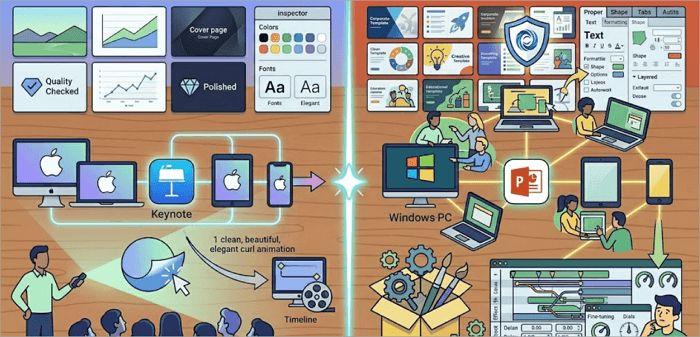
Keynote offers high-quality built-in themes. The designs are polished and ready to use, so you don’t need to do much when customizing them.
PowerPoint, on the other hand, is known for its wide variety of templates. You get more flexibility, especially for branded or customized presentations.
2. Animations and Visual Effects
Keynote is also known for its smooth, cinematic animations that make your presentations feel more engaging.
For PowerPoint, you get more control over animation settings. You can fine-tune even the smallest detail, which makes it handy for creating complex effects.
3. Ease of Use
If you’re just learning how to create presentations, Keynote is much easier to use. Its interface feels simpler and more intuitive, making it more beginner-friendly.
PowerPoint, however, offers deeper customization options, which can be harder to master. As a beginner, you can create basic slides with PowerPoint quickly, but you need more time to unlock its full potential.
4. Collaboration and Teamwork
For teams that work regularly together, PowerPoint is the better option, thanks to its real-time collaboration through cloud services.
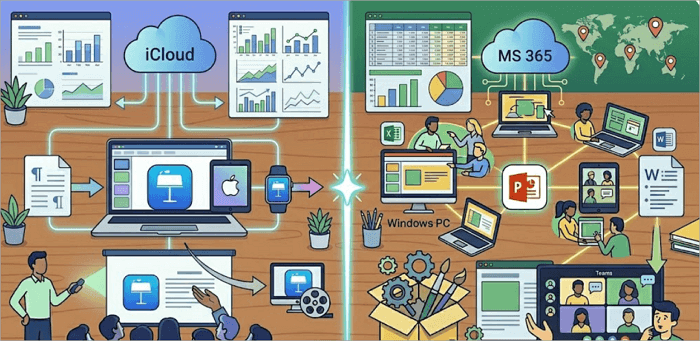
Although Keynote also supports sharing and collaboration through iCloud, it is limited to the Apple ecosystem. Teams where some members use Windows OS devices may find this limiting.
5. Compatibility and File Formats
If you’ve been in search of a Mac PowerPoint equivalent like Keynote, you should consider file compatibility first.
Keynote files are saved in the .key format, which can only be opened natively in Keynote. If you need to share those files outside the Apple ecosystem, you’d have to export to .pptx or PDF first.
This is where PowerPoint stands out again. It saves files in the .pptx format, the industry standard, and opens in any presentation platform.
6. Integration with Other Tools
PowerPoint integrates seamlessly with tools in the Microsoft Suite. You can embed data from Excel, present via Teams, and draft content in Word.
On the other hand, Keynote integrates with Pages, Numbers, iCloud, and other apps in the Apple ecosystem — helping you streamline your workflow.
7. Pricing
Keynote is free for Apple users, which makes it a cost-effective option for many individuals and businesses.
PowerPoint usually requires a Microsoft 365 subscription. However, many organizations already use this, so the cost may not be an issue.
Conclusion
As you’ve seen, choosing the right presentation tool between Keynote vs. PowerPoint depends on how and where you work.
If you’re deeply invested in Apple devices, Keynote offers simplicity and elegant design, but if you collaborate frequently, work across platforms, or already use the Microsoft Office suite, PowerPoint provides better flexibility.
Still unsure which tool is best for you? Try both Keynote and PowerPoint on a small project. That hands-on experience will quickly show which one fits your workflow best.
FAQs About Keynote vs. PowerPoint
Let’s explore common questions presenters ask when choosing the better presentation tool between Keynote and PowerPoint.
1. Is Keynote the same as PowerPoint?
No, Keynote and PowerPoint are not the same. They are different presentation tools developed by Apple and Microsoft, respectively.
While they both serve similar purposes, they differ in design, features, and compatibility. Many users compare Keynote and PowerPoint to decide which fits their needs better.
2. What is the Apple version of PowerPoint?
The Apple version of PowerPoint is Keynote, often described as Apple’s equivalent to PowerPoint, and comes pre-installed on most Apple devices.
Keynote offers clean templates, smooth animations, and strong integration with macOS and iOS systems.
3. What is the PowerPoint equivalent for Mac?
If you’re looking for a Mac equivalent to PowerPoint, Keynote is the most popular option. It is designed specifically for Apple devices and provides a simple, design-focused experience. However, PowerPoint itself is also available on Mac, making it a flexible alternative.