For teams, leaders & stakeholders

Project Status Presentation Template + AI Generator

Create a stakeholder-ready project status presentation in minutes. Start from a proven update structure, then customize progress, milestones, risks, budget, decisions, and next steps for your team.Create a clear project status deck in minutes. Customize progress, risks, milestones, and next steps with AI.
Browse Templates
Weekly project updatesExecutive reportingMilestone reviews
Project Status Report Templates
Status-ready slide flow
AI-assisted update copy
Editable report templates
Export to PowerPoint

Related project status presentation resources

How to create a project status presentation

  1. Define the reporting period, audience, and decisions the update should support.
  2. Gather current milestones, KPIs, budget data, risks, dependencies, and owner updates.
  3. Generate a first draft with AI or select a relevant status template.
  4. Replace sample data with concise evidence, charts, RAG indicators, and action owners.
  5. Verify every figure, rehearse key decisions, and export the final presentation.

Example sections in your project status presentation

  • Executive summary and overall health
  • Milestone progress and completed work
  • KPI, schedule, and budget performance
  • Risks, issues, and dependencies
  • Decisions, owners, and next steps

Choose your project status presentation format

Weekly Software Project Status Update

Applicable to:

Sprint reviewsProduct teamsEngineering leaders

Generate a concise weekly deck covering delivery progress, blockers, decisions, sprint metrics, and upcoming work.

Executive Project Steering Committee Update

Applicable to:

Executive sponsorsSteering committeesProgram leaders

Create a decision-focused update with overall health, milestone variance, major risks, budget position, and approvals needed.

Client Project Status Report Presentation

Applicable to:

Agency clientsConsulting engagementsImplementation partners

Build a client-ready report showing delivered work, schedule, open items, dependencies, responsibilities, and next-period commitments.

Project Recovery Status Presentation

Applicable to:

Delayed projectsBudget overrunsRisk reviews

Present root causes, corrective actions, revised milestones, accountable owners, and measurable recovery targets in one deck.

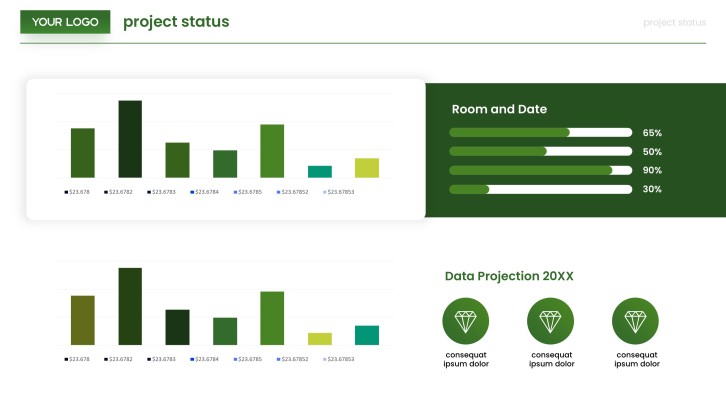
Example project status presentation

What makes a project status presentation effective

  • Lead with overall health, meaningful change, and the decision stakeholders need to make.
  • Compare actual progress, cost, and schedule against a clear baseline or target.
  • Give every risk, issue, dependency, and next action a named owner and date.
  • Use consistent status definitions and verify all metrics before the meeting.

Common mistakes

  • Listing completed tasks without explaining their effect on scope, schedule, or outcomes.
  • Hiding serious blockers inside dense text or ambiguous green status indicators.
  • Presenting charts without periods, targets, sources, or a takeaway for decision-makers.
  • Ending without requested decisions, accountable owners, and the next reporting checkpoint.

Frequently Asked Questions

Include an executive summary, overall health, milestone progress, KPI and budget performance, risks, issues, dependencies, decisions, and next steps. Tailor the detail to the audience and reporting cadence.
Lead with what changed, why it matters, and what decision is needed. Keep detailed task lists in supporting slides and focus the main narrative on outcomes, variance, major risks, and ownership.
Most routine updates work well in 5 to 10 slides. Complex programs may need additional workstream or appendix slides, but the core story should remain concise.
Useful examples include weekly sprint updates, monthly client reports, steering committee reviews, launch readiness reports, and recovery plans. Each should show progress against plan and the actions required next.
Use consistent red, amber, and green definitions tied to measurable thresholds. Add a short explanation beside the indicator so stakeholders understand the cause, impact, and recovery action.
Yes. AiPPT can generate a structured first draft from your project notes or prompt, then you can customize the template, facts, charts, risks, and next steps before presenting.
AI Presentation Maker

Generate your project status presentation now

Turn your latest project notes into a structured status deck, then customize the facts and visuals for your stakeholders.