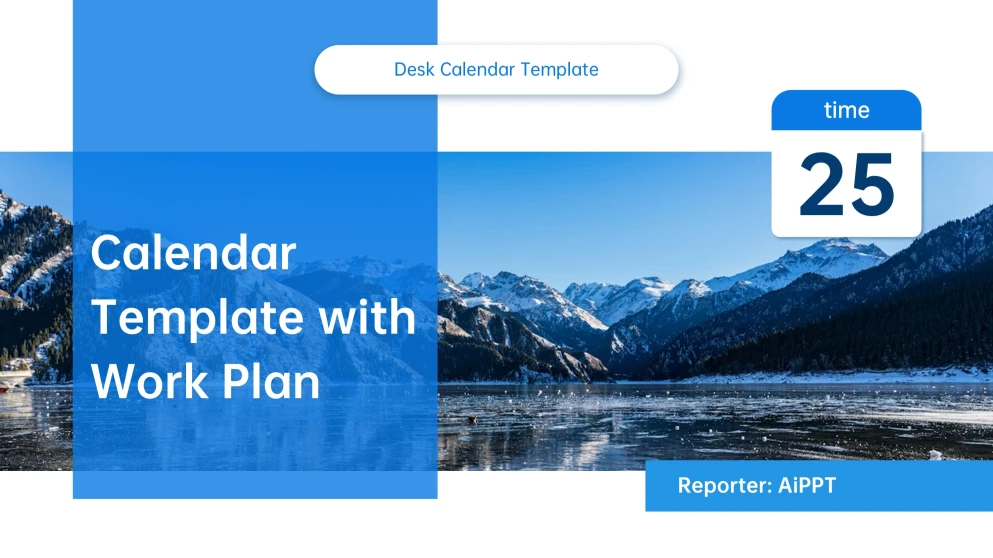
Color Palette: The aesthetic leans heavily on a carefully curated selection of soft blue colors to cultivate a calm, focused atmosphere.
Elements & Assets: The template includes clean date grids, prominent month displays, and integrated progress-tracking visuals that adapt well to both digital and print formats.
Use Cases:This versatile tool works wonders for anyone needing to track long-term project milestones, organize team collaborations, or simply liven up a workspace with a personalized touch.
More about AiPPT: Except for the pre-designed templates, it's welcome to try AiPPT's AI PPT generator. Integrated with Nano Banana, you can easily create a compelling presentation with high-quality images.
How to Use Our Other Templates to Create a Polished Presentation
Choose an Other Template that matches your story (timeline, process, SWOT, checklist, diagram). Download and open it in PowerPoint or Google Slides, swap in your text and images, and keep key elements aligned by using the built-in grids and master slides. Finish by updating icons, adding speaker notes, then export to PPTX or PDF for sharing.
Mastering The Desk Calendar Template Layout
This desk calendar template features a sophisticated layout that emphasizes visual balance and symmetry through soft blue tones and bright accents. The design offers flexibility with image insertion slots and adaptable paper sizes, making it ideal for both digital use and physical printing. Follow the tips below to customize your desk calendar and optimize various use cases effectively.
Utilize Bright Accents For High Priority Dates
Customize the AiPPT template by applying the template's bright accent colors to mark deadlines or critical events. This design choice ensures that your most vital tasks stand out.
Leverage The Soft Blue Color System
Use the calming blue tones to reduce visual stress during busy workdays. These shades create a soothing background that makes your daily schedule feel much more approachable.
Add Elements or Assets from Other Templates
Explore AiPPT's vast library and find icons or images from other templates. Download these templates and apply the elements to this desk calendar template.
Incorporate Seasonal Elements For Marketing Use Cases
Align the calendar with market trends by adding seasonal sales or winter promotion cues. This makes the AiPPT template an excellent tool for planning consumer-facing business moves.
Frequently Asked Questions
Can I use this desk calendar template for team management and appreciation?
The template is optimized for team use cases, allowing you to mark meetings, project milestones, and even employee birthdays or anniversaries.
What digital or physical formats are supported?
Actually, since this is a native PowerPoint file, this desk pad calendar template is primarily edited and saved in the .pptx format. However, from within PowerPoint, you can easily "Save As" or "Export" your customized design into various other formats like PDF for easy sharing or JPG/PNG to use the calendar as a digital desktop background.
Can I use this desk calendar design template for free?
Yes! Upon registering and logging in, you can download our delicately designed template a limited number of times per day for free. To unlock unlimited exports and advanced AI tools, we invite you to explore our subscription plans.
Is it possible to customize the AiPPT template for seasonal marketing?
You can easily incorporate seasonal elements like summer sales or winter promotions to align your schedule with market trends.
What are the copyright considerations for using this template?
The layout and design are intended for your personal or internal business customization. While you have the freedom to modify the aesthetic elements, the underlying structural design remains protected. If you incorporate your own images or company branding, ensure you have the rights to those specific assets.
Try the Organized Desk Calendar Template with Calm Blue Tones