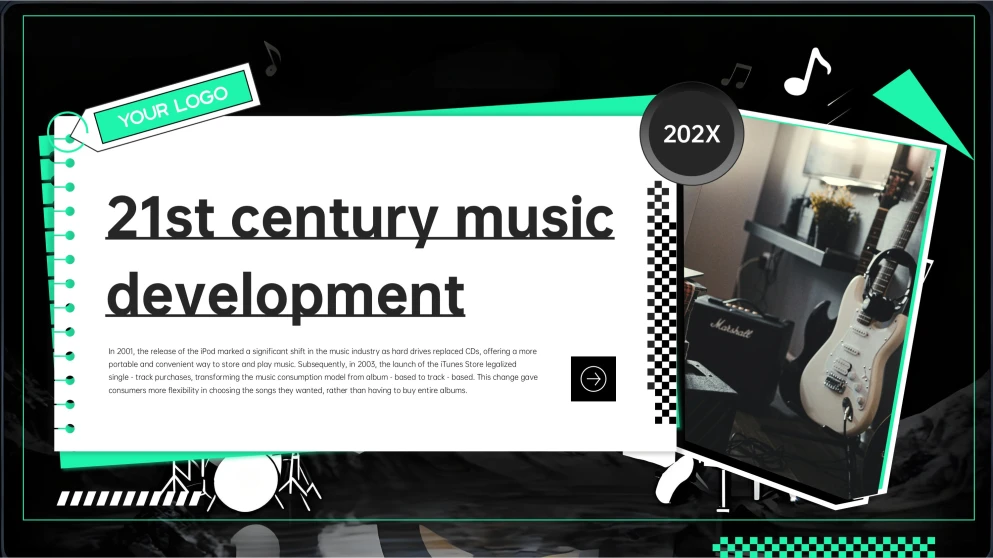
This Music PowerPoint Template's layout captures a trendy, Gen Z-inspired aesthetic that feels like a digital scrapbook or a curated social media feed. It features a sophisticated, low-saturation color palette dominated by muted greens and deep blacks, creating a moody yet modern vibe. Decorative elements include artistic collage-style image placements and sleek, minimalist line work that guides the eye through each section. The use of micro-tags and "sound designer" inspired graphics gives it a high-tech, producer-centric edge. Every slide feels like a cohesive piece of visual art, blending retro technological nods with futuristic layout choices. It is a perfect fit for anyone wanting to deliver a presentation that feels fresh, stylish, and deeply connected to current digital culture trends. The overall effect is both professional and incredibly expressive, making it an excellent choice for creative storytelling.
How to Use Our Other Templates to Create a Polished Presentation
Choose an Other Template that matches your story (timeline, process, SWOT, checklist, diagram). Download and open it in PowerPoint or Google Slides, swap in your text and images, and keep key elements aligned by using the built-in grids and master slides. Finish by updating icons, adding speaker notes, then export to PPTX or PDF for sharing.
Creative Ways to Edit This Music Powerpoint Template & Google Slides Theme
This music PowerPoint template blends a black and green palette with a trend-forward, scrapbook-inspired layout. By utilizing blurred artistic fonts and layered photo collages, it creates an immersive atmosphere perfect for modern storytelling. The following tips will help you master this aesthetic, showing you how to balance minimalist graphic elements with creative technical visuals. These strategies ensure your presentation remains visually cohesive while capturing a producer-centric vibe.
Incorporate Creative Photo Collages
Instead of single, centered images, arrange multiple photos in a layered, scrapbook-like format. This aligns with the "super-genre blending" and diverse collage style featured throughout the deck.
Maintain a Dark, Edgy Palette
Stick primarily to the green and black color scheme to preserve the sleek appearance. This consistency helps build a strong visual identity that feels both professional and culturally relevant.
Optimize for Short-Form Logic
Design your key points to be punchy, much like the 15-second choruses discussed in the slides. This structural approach helps your audience retain the most impactful information quickly.
Use Minimalist Chapter Dividers
Keep transition slides simple with large numbers and clean text to provide a clear roadmap. This ensures that even with a creative "collage" style, the overall presentation remains easy to follow.
Frequently Asked Questions
Can I change the main green and black color scheme?
Yes, while the muted green and black are central to its edgy look, you can adjust these through the "Slide Master" to fit different brand colors while keeping the layout intact.
Is this template suitable for professional business reports?
This music background PowerPoint template is best suited for creative industries like music, fashion, or digital media, where a trendy, non-traditional, and highly visual approach is valued over a corporate look.
How should I choose images to match the collage slides?
Look for photos with low saturation or film-grain textures. Using images with consistent filters will help them blend into the template's existing artistic collage frames.
Can I use this music Google Slides theme for a mobile-first or social media presentation?
Yes, the layout's resemblance to social media feeds and its focus on punchy, visual "hooks" make it ideal for presentations intended for mobile viewing or young audiences.
Try the Green & Black Gen Z Creative Collage Music Powerpoint Template