Sign In Sign Up
For schools, teachers & EdTech teams

Digital Transformation in Education PPT Template + AI Generator

Create a school-ready digital transformation in education PPT in minutes. Start from a proven education technology structure, then customize learning goals, digital tools, implementation roadmap, training plan, and measurable outcomes.Create a digital transformation in education PPT fast. Customize tools, roadmap, training, and outcomes with AI.
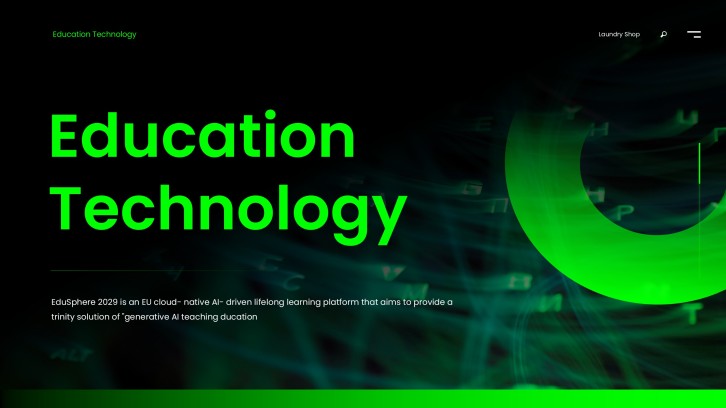
Browse Templates
Classroom expectations Back-to-school routines Teacher rule slides
Free EdTech Pitch Deck Template | PPT & Google Slides
Classroom rules slide flow
AI-assisted rule copy
Editable teacher templates
Export to PowerPoint

Related digital education resources

How to create a digital transformation in education PPT

  1. Define the school audience, transformation goal, and learning challenge.
  2. Map current workflows, digital tools, gaps, and stakeholder needs.
  3. Generate a structured PPT draft with AI or choose a template.
  4. Customize roadmap, training plan, metrics, risks, and examples.
  5. Review for clarity, privacy, feasibility, and export the deck.

Example sections in your digital transformation in education PPT

  • Current learning challenges
  • Digital learning vision
  • Tools and platform roadmap
  • Teacher training and adoption plan
  • Success metrics and next steps

Choose your digital transformation in education PPT format

School Digital Learning Transformation Roadmap

Applicable to:

District planning School leadership EdTech rollout

Best for presenting a phased roadmap with goals, tools, training, risks, and success metrics.

AI and Technology in Classroom Transformation

Applicable to:

Teacher workshops Instructional coaching Classroom pilots

Use this format to explain how AI, platforms, and digital routines improve teaching workflows.

Digital Transformation Strategy for Higher Education

Applicable to:

College committees Campus IT teams Academic innovation

Create a strategy deck for online learning, student services, analytics, and campus-wide digital systems.

Inclusive Digital Education Access Plan

Applicable to:

Equity initiatives Family engagement Student support

Build a practical PPT about devices, connectivity, accessibility, privacy, and learner support.

Example digital transformation in education PPT

What makes a digital transformation in education PPT effective

  • A specific transformation goal connected to real teaching and learning needs.
  • A practical roadmap that explains tools, training, ownership, and timing.
  • Clear evidence for how digital change improves access, feedback, or outcomes.
  • Stakeholder-focused messaging for teachers, students, families, and leaders.

Common mistakes

  • Listing technology tools without explaining the learning problem they solve.
  • Ignoring teacher training, support time, and adoption barriers.
  • Making broad transformation claims without metrics or implementation details.
  • Forgetting privacy, equity, accessibility, and family communication needs.

FAQs

A digital transformation in education PPT is a slide deck that explains how a school, district, university, or training team will use digital tools to improve learning. It usually covers the current challenge, technology strategy, implementation roadmap, teacher training, access, risks, and success metrics.
Include the learning challenge, transformation vision, digital tools, workflow changes, implementation phases, training plan, equity considerations, privacy rules, budget needs, and measurable outcomes. A strong deck connects every technology choice to a real teaching or learning benefit.
Most decks work well with 10 to 18 slides. Use fewer slides for a short leadership update and more slides when you need roadmap details, training plans, budgets, risks, and stakeholder communication.
Yes. You can enter your school context, audience, and transformation goal, then use AiPPT to generate an editable PPT structure with slide copy and template-based visuals. Review the draft carefully for local policy, privacy, and implementation accuracy.
Good examples include blended learning, learning management systems, AI-assisted lesson planning, online assessments, student data dashboards, digital feedback workflows, device access plans, and family communication platforms. Choose examples that match your audience and school readiness.
Focus on daily classroom benefits instead of abstract technology language. Show what changes in planning, instruction, assessment, feedback, and student support, then explain the training and support teachers will receive.
AI Presentation Maker

Generate your digital transformation in education PPT now

Create a digital transformation in education PPT with AI, then customize the roadmap, tools, training plan, metrics, and school-ready examples.