Sign In Sign Up
For teachers, schools & classrooms

Teacher AI Slides Generator Template + AI Generator

Create classroom-ready decks with a teacher ai slides generator in minutes. Start from an education slide structure, then customize lesson goals, explanations, activities, visuals, checks for understanding, and student-friendly takeaways.

Browse Templates
Classroom expectations Back-to-school routines Teacher rule slides
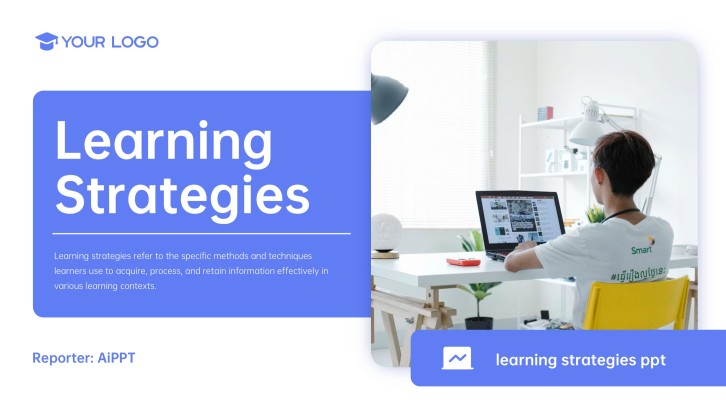
Free Blue Creative Learning Strategies PPT Template
Lesson-ready slide flow
AI-assisted teacher copy
Editable education templates
Export to PowerPoint

Related teacher AI slide resources

How to create teacher ai slides generator decks

  1. Define the classroom expectations, routines, and behavior guidelines students need to understand.
  2. Choose a teacher slide template or generate a first draft with AI.
  3. Add clear rule slides for respect, participation, safety, materials, and transitions.
  4. Customize the design with grade-level language, icons, colors, and classroom examples.
  5. Review the deck, download it, and present it during the first week of class.

Example sections in your teacher ai slides generator deck

  • Lesson objective and agenda
  • Concept explanation slides
  • Guided examples and visuals
  • Student activity instructions
  • Exit ticket or reflection

Choose your teacher ai slides generator format

Teacher AI Lesson Plan Slides for a 45-Minute Class

Applicable to:

Daily lessons Middle school Class instruction

Generate a structured lesson deck with objectives, explanations, examples, practice tasks, and a quick assessment.

Science Project Presentation Teacher AI Create Slideshow

Applicable to:

Science class Project launch Student research

Create project slides that explain the question, method, data expectations, timeline, and presentation rubric.

AI Teacher Presentation Maker for Classroom Activities

Applicable to:

Group work Warmups Review games

Build activity slides with instructions, roles, discussion prompts, examples, and reflection questions for students.

Teacher AI PowerPoint Creator for Back-to-School Lessons

Applicable to:

First week Classroom routines Family night

Generate welcome slides, expectations, routines, class values, and next steps for a smooth school start.

Example teacher ai slides generator deck

What makes a teacher ai slides generator deck effective

  • It starts from a clear lesson goal, audience, and classroom time limit.
  • It turns AI output into accurate, teacher-reviewed instruction and activities.
  • It separates explanations, examples, student tasks, and checks for understanding.
  • It uses visuals and concise wording that students can follow quickly.

Common mistakes

  • Accepting AI-generated content without checking facts, standards, or grade fit.
  • Packing too many instructions, examples, and questions onto one slide.
  • Forgetting student practice, discussion, or assessment slides.
  • Using generic AI visuals that do not support the lesson objective.

FAQs

A teacher ai slides generator helps teachers turn a lesson topic, activity idea, or classroom objective into a draft slide deck. The teacher still reviews the content, edits examples, and adapts the slides for students.
Yes. AiPPT can generate presentation drafts from prompts, so teachers can start with lesson goals, grade level, key concepts, activities, and assessment ideas. After generation, teachers should check accuracy and adjust pacing.
Include the lesson objective, agenda, key explanation, visuals, guided examples, student activity instructions, and an exit ticket. For longer lessons, add vocabulary, discussion prompts, and teacher notes.
Yes. You can prompt AiPPT to create slides for a science project launch, research plan, experiment method, data expectations, timeline, and presentation rubric. Teachers can then customize the examples for their class.
Start with a specific prompt that includes grade level, standards or learning goals, and required vocabulary. Then review facts, simplify wording, replace weak examples, and add your own classroom checks.
The best tool is one that helps you draft slides quickly while still letting you edit structure, wording, and visuals. AiPPT is useful when you want to generate a presentation from a prompt and then refine it with templates.
AI Presentation Maker

Generate your teacher ai slides generator deck now

Use AiPPT to turn lesson goals, classroom activities, visuals, and checks for understanding into editable teacher AI slides.