For professionals, students & facilitators

Time Management Workshop Template + AI Generator

Create a time management workshop in minutes with AI. Start with a practical flow, then customize priorities, time audits, weekly planning, focus habits, scheduling exercises, reflection, and follow-through.Build a time management workshop with priorities, time blocks, focus practice, reflection, and action planning.
Browse Templates
Priority planningFocus habitsWeekly schedules
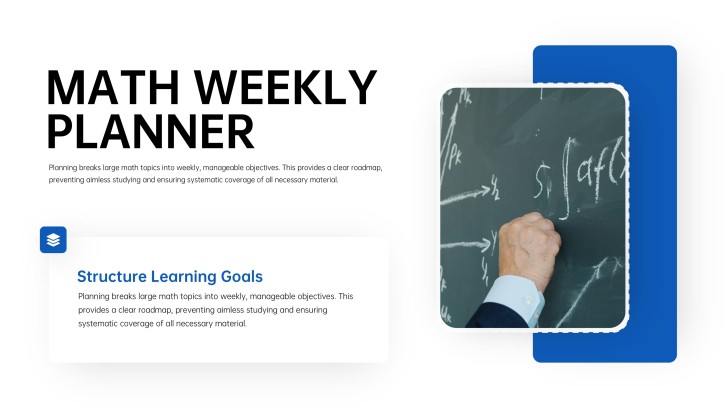
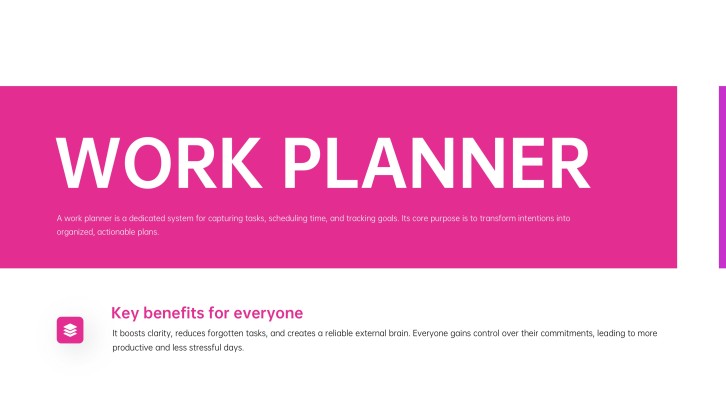
Weekly Work Planner PPT
Workshop-ready flow
AI-assisted activity copy
Editable planning templates
PowerPoint export

Related planning, productivity, and presentation resources

How to run a time management workshop

  1. Define the audience, current time pressures, desired habits, session length, and evidence of improvement.
  2. Build a flow around time awareness, priorities, estimation, calendars, focus, interruptions, and weekly review.
  3. Generate the time management workshop slides with AI, then replace generic examples with realistic tasks and constraints.
  4. Add a time audit, priority exercise, calendar-planning practice, interruption scenario, reflection, and peer feedback.
  5. End with one behavior experiment, a real schedule, an accountability method, and a review date.

Example sections in a time management workshop presentation

  • Time-use baseline, pressure points, and workshop goals
  • Priority matrix, task estimates, and weekly capacity
  • Calendar blocking, focus sessions, buffers, and breaks
  • Interruptions, procrastination triggers, and boundary scripts
  • Personal action plan, progress measure, and follow-up review

Choose your time management workshop format

Workplace Time Management Workshop

Applicable to:

Office teamsNew managersHybrid workers

Improve priority choices, calendar control, meeting boundaries, focus time, delegation, and weekly review.

Student Time Management Training PPT

Applicable to:

College studentsHigh school classesStudy-skills programs

Plan assignments, study blocks, deadlines, revision, rest, and realistic buffers across a school week.

Project Time Planning Workshop

Applicable to:

Project teamsFreelancersOperations groups

Break outcomes into tasks, estimate effort, map dependencies, protect milestones, and track schedule risk.

Focus and Productivity Reset

Applicable to:

Busy professionalsRemote employeesCreative teams

Reduce distraction through attention audits, focused work blocks, interruption rules, recovery, and reflection.

Time management workshop example: BrightPath launch reset

What makes a time management workshop effective

  • It uses participants’ real calendars, tasks, constraints, and interruptions instead of idealized schedules.
  • It teaches prioritization, estimation, time blocking, buffers, focus, boundaries, and review as one connected system.
  • It gives participants time to build, test, critique, and revise a realistic plan during the session.
  • It ends with one observable behavior, a measure, an accountability method, and a scheduled follow-up.

Common mistakes

  • Treating time management as personal discipline while ignoring workload, dependencies, unclear priorities, and meeting culture.
  • Filling every calendar gap with work and leaving no buffer for transitions, recovery, questions, or unexpected tasks.
  • Teaching many productivity techniques without helping participants choose one method suited to their context.
  • Creating an attractive plan but never comparing estimates with actual time or adjusting the system.

Frequently Asked Questions

A time management workshop is an interactive session where participants assess current time use and practice prioritizing, estimating, scheduling, focusing, handling interruptions, and reviewing progress.
Include outcomes, a time audit, priority methods, estimation, weekly capacity, calendar blocking, focus habits, interruption strategies, planning practice, reflection, and an action plan.
Adapt the template to the audience’s real workload, schedule, tools, and constraints. Replace generic tasks with realistic examples and reserve most session time for practice and feedback.
For a 60- to 90-minute session, 10 to 15 slides are often enough because participants need planning time. A half-day workshop can use 15 to 25 slides with additional practice rounds.
Yes. AiPPT can draft a time management training PPT from your audience, goals, duration, and preferred methods. Review the result for realistic capacity, inclusive examples, and accurate timing.
Useful activities include a time audit, priority sorting, effort estimation, calendar blocking, interruption role plays, workload negotiation, weekly planning, and plan-versus-actual review.
Give the AI real audience roles, common time pressures, session length, and desired habits. Then customize the generated exercises with actual tasks, calendars, constraints, and follow-up measures.
AI Presentation Maker

Generate your time management workshop now

Create a time management workshop deck with AI, then customize priorities, planning exercises, time blocks, focus habits, reflection, and action plans.