For brand, design & marketing teams

Brand Guidelines Presentation Templates for Consistent Branding

Create a polished brand guidelines presentation in minutes. Start from an editable structure for in-house teams, agencies, or client handoffs, then customize logo rules, colors, typography, voice, and real-world applications.Create a brand guidelines deck in minutes. Customize logo rules, colors, typography, voice, and applications with AI.
Browse Templates
Brand identity systemsClient handoff decksTeam onboarding
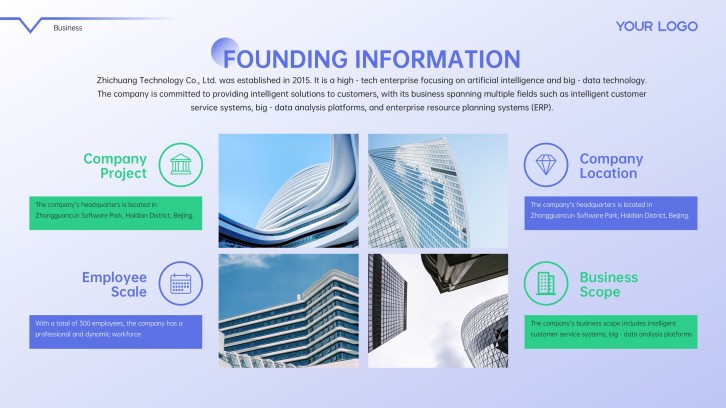
Technology Brand Digital Marketing PPT
Brand-ready slide flow
AI-assisted guideline copy
Editable identity templates
Export to PowerPoint

Related brand presentation resources

How to create a brand guidelines presentation

  1. Define the audience, brand maturity, and decisions the deck must standardize.
  2. Gather approved logos, colors, fonts, imagery, messaging, and usage rules.
  3. Generate a clear slide flow with AI or select a matching template.
  4. Replace examples with branded assets, do-and-don't visuals, and realistic applications.
  5. Review accessibility, ownership, and export details before sharing the deck.

Example sections in your brand guidelines presentation

  • Brand purpose, values, and personality
  • Logo system and clear-space rules
  • Color palette and typography hierarchy
  • Voice, tone, and messaging examples
  • Photography, layouts, and applications

Choose your brand guidelines presentation format

Startup Brand Guidelines for a Product Launch

Applicable to:

SaaS startupsProduct teamsLaunch agencies

Build a practical identity deck that aligns launch messaging, visual assets, product screens, and campaign execution.

Client Brand Style Guide Handoff Presentation

Applicable to:

Design studiosFreelance designersRebranding projects

Package approved identity decisions, usage rules, files, and ownership into an easy client handoff.

Internal Brand Standards Onboarding Deck

Applicable to:

New hiresMarketing teamsSales teams

Teach employees how to apply the brand consistently across presentations, campaigns, documents, and customer communications.

Brand Book Presentation for a Fashion Label

Applicable to:

Fashion brandsRetail teamsCreative partners

Present a visual-first brand book covering identity, styling, photography, packaging, social content, and retail applications.

Example brand guidelines presentation

What makes a brand guidelines presentation effective

  • Every rule includes a clear visual example or practical application.
  • Logo, color, typography, imagery, and voice guidance work as one system.
  • Teams can quickly find approved assets, owners, and exception processes.
  • Layouts remain readable, accessible, and useful in everyday production.

Common mistakes

  • Showing approved logo files without clear-space, size, or misuse rules.
  • Listing color values without proportions, contrast guidance, or application examples.
  • Describing the brand voice with adjectives but providing no sample copy.
  • Publishing standards without an owner, asset source, or update process.

Frequently Asked Questions

Include the brand foundation, logo system, color palette, typography, imagery, voice, messaging, and application examples. Add asset links, owners, and governance rules so teams can use the standards in real work.
A concise deck may use 10 to 15 slides, while a complete brand book presentation often needs 15 to 25. The right length depends on the number of identity elements, audiences, channels, and examples you must document.
The terms are often used interchangeably. “Brand guidelines” can cover strategy, voice, and behavior as well as visual identity, while a “style guide” sometimes focuses more narrowly on design and writing rules.
Yes. Provide your brand purpose, audience, logo rules, palette, typography, voice, and required applications, then use AiPPT to generate a structured starting deck and customize it with approved assets.
Pair every principle with a do-and-don't example, approved template, or realistic application. State where files live, who approves exceptions, and how users request help or updates.
The same content structure can guide both formats, but check font availability, image cropping, master layouts, and color rendering after conversion. Keep fallback fonts and approved export settings in the guide.
AI Presentation Maker

Generate your brand guidelines presentation now

Turn your brand decisions and approved assets into a clear, editable presentation structure with AI.