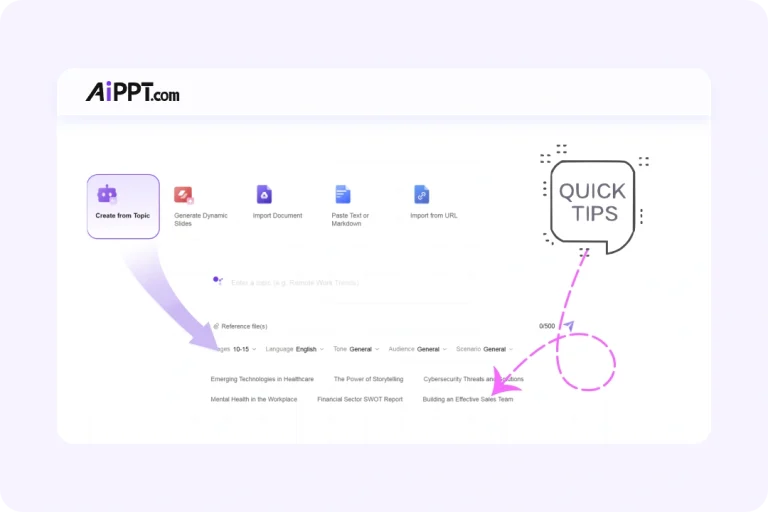
AiPPT: The Smarter AI Presentation Maker and Tome Alternative
A powerful AI PPT makercan help you create polished, fully editable presentations with ease. This page compares Tome and AiPPT across features, design quality, and workflow so you can confidently choose the best AI presentation maker for your needs, and start building professional slides in minutes.
What Makes Tome AI Popular & Its Typical Limitations
Tome AI is great for creating story-driven presentations, which makes it perfect for pitches or narratives. However, its tile-based format limits slide-level control, customization, and export options.
AiPPT offers a stronger alternative with fully editable slides, professional templates, PPT export, and a familiar slide-based workflow. This makes AiPPT ideal for business, education, and polished presentations.
Why AiPPT Is the Best AI Tool for Creating PPT Slides
Unlike traditional AI storytelling tools, AiPPT gives you full slide control and is built with the most advanced image generation models, including Nano Banana Pro, allowing you to add high-quality, AI-generated visuals directly into your slides.
AI Slide Generation
Turn topics or documents into ready-to-edit slides automatically.
Advanced Image Generation
Create high-quality images using built-in AI models.
Professional Templates
Access a wide library of PPT templates for various projects.
Compare Tome and AiPPT The Smarter Choice for Slide-Based Decks
AI makes presentations easier, but tools vary. Tome is strong in storytelling but lacks slide control, templates, and export options. AiPPT fills these gaps with a more flexible, polished slide-based workflow.
How to Use AiPPT to Create Presentation Slides
1️⃣ Generate a PPT Outline
Enter your topic or upload your documents, and AiPPT will create a structured outline that you can adjust to your needs.
2️⃣ Select a Template
Choose from over 200,000 templates. Use filters to find the perfect style or scenario for your presentation.
3️⃣ Customize Your Slides
Easily edit layouts, colors, images, text, and captions to match your branding or style.
4️⃣ Share or Export
Share your slides via a link for collaboration or download them as PPT, PDF, or images for easy presentation.
Who Should Choose AiPPT Over Tome?
Go from a simple idea to a polished, ready-to-share presentation with a single, seamless platform. We provide all the tools you need to create, customize, and distribute your work with professional results.
Students and Educators
AiPPT helps students and teachers create polished, structured slides quickly, making assignments, lessons, and presentations professional, and it is far easier than adapting to Tome’s narrative-style format.
Business Professionals
When creating pitches, reports, or meetings, business users gain more control and flexibility with AiPPT’s editable slides, professional templates, and export-ready formats, unlike Tome’s story-driven pages.
Content Creators
With AiPPT, creating visually striking decks becomes effortless for marketers and content creators as they can use AI-generated images and templates customized for any campaign or presentation.
Teams Members
Teams can collaborate efficiently with AiPPT, working on structured slides while sharing, editing, and exporting seamlessly, maintaining formatting throughout, while Tome requires adjusting to a less conventional workflow.
Frequently Asked Questions
How is AiPPT different from Tome?
Unlike Tome, which focuses on storytelling and uses a tile-based format, AiPPT provides slide-based decks with full editing control. It supports high-quality PPT exports, advanced AI-generated images (including Nano Banana Pro), customizable templates, and professional animations, making it a more flexible and practical tool for creating slides.
Can I customize the slides created by AiPPT?
Absolutely! AiPPT lets you fully customize every aspect of your slides. You can adjust layouts, fonts, colors, graphics, and even AI-generated images to match your style or branding. This gives you complete control over your presentation, ensuring every slide looks professional and tailored to your specific needs.
What export options does AiPPT support?
AiPPT lets you export your presentations as PPTX, PDF, or images, making it easy to edit, present, or share. You can also share your slides directly via a link, allowing teammates or clients to view and collaborate seamlessly, in addition to using standard presentation tools like PowerPoint.
Create Professional Presentations in Minutes with This Tome Alternative
AiPPT, the ultimate Tome alternative, lets you build slide-based decks in minutes. Enjoy full control over layouts, fonts, colors, and AI-generated images, and choose from thousands of professional templates.