A self-introduction PPT is more than just a collection of slides—it’s a way to showcase personality, confidence, and communication skills. For students, whether in class presentations, interviews, competitions, or online introductions, a well-crafted PPT can make a lasting impression. By organizing your key details visually, you communicate clearly and professionally while highlighting your unique strengths.
Key Elements of a Self-Introduction PPT
A strong self-introduction PPT should balance essential personal information with creative elements that engage the audience. Here’s what to include:
- Personal Details – Name, grade, school or college, and relevant identifiers.
- Hobbies and Interests – Activities that show your personality and make you relatable.
- Strengths and Achievements – Academic, extracurricular, or personal accomplishments that reflect your abilities.
- Goals and Aspirations – Short-term and long-term objectives, demonstrating ambition.
- Optional Fun Elements – Favorite quotes, interesting facts, or visual highlights to add personality.
Including these elements ensures your audience gets a complete and memorable picture of who you are.

How to Structure a Self-Introduction PPT
A clear structure keeps your introduction organized and easy to follow. Consider this flow:
- Opening Slide – Greet the audience and state your name.
- Personal Details – Share your background in one concise slide.
- Hobbies and Interests – Highlight your personality and passions.
- Strengths and Achievements – Showcase your skills and accomplishments with visuals or charts.
- Goals and Aspirations – End with your objectives and motivation.
- Closing Slide – Thank the audience, include a quote or Q&A prompt if needed.
Keep transitions smooth and avoid overloading slides with text to maintain audience engagement.
Design Tips for an Effective Self-Introduction PPT
Presentation design plays a crucial role in making your slides visually appealing and professional:
- Clear Fonts – Choose readable typefaces and maintain consistent sizing.
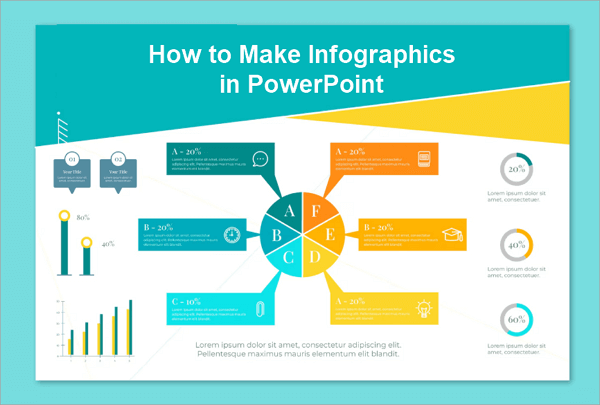
- Visuals – Add relevant photos, icons, or infographics to illustrate your points.
- Color Scheme – Use a consistent palette that reflects your personality but doesn’t distract.
- Minimalism – Avoid clutter; each slide should communicate one main idea.
- Subtle Animations – Use motion effects sparingly to emphasize points without overwhelming the audience.
Well-designed slides can enhance understanding and leave a positive impression.
Sample Self-Introduction PPT Slides
Here’s a suggested layout for a five-slide self-introduction PPT:
| Slide | Content | Tips |
|---|---|---|
| 1 | Name and Greeting | Keep it short; include a friendly image or background. |
| 2 | Personal Details | Use bullet points; highlight grade, school, and location. |
| 3 | Hobbies and Interests | Add icons or images for visual appeal. |
| 4 | Strengths & Achievements | Include charts, badges, or small visuals for clarity. |
| 5 | Goals & Aspirations | Conclude with a quote or thank-you note to leave an impression. |
This format helps students convey information clearly while remaining engaging.
Common Mistakes to Avoid
Even small errors can reduce the impact of a self-introduction PPT:
- Overloaded Slides – Avoid cramming too much text; clarity matters more than quantity.
- Distracting Design – Overuse of bright colors or multiple fonts can divert attention.
- Reading Slides Verbatim – Engage with the audience; make eye contact.
- Ignoring Flow – Ensure slides follow a logical sequence to maintain engagement.
- Time Mismanagement – Practice to keep the presentation concise and within limits.
Being mindful of these pitfalls ensures your PPT supports rather than hinders your delivery.
Conclusion
A self-introduction PPT is a bridge between your personality and your audience. Done well, it can boost confidence, make a memorable impression, and open doors for further opportunities. Craft slides that highlight who you are, keep visuals clean and purposeful, and rehearse to deliver naturally.
Next step: create your own draft using a template, personalize the slides with your key details, and practice delivering it to peers. This combination of structure, design, and preparation ensures your introduction leaves a lasting impact.
Explore More
How to Introduce Yourself in a Presentation as a Student
100 Unique Topics for Presentation in College
Top 100 | Best 2 Minute Speech Topics for Students
100 Topics for Morning Assembly in English
Top 100 Seminar Topics for Students, Teachers, & Tech
(Reviews) Top 12 Best Interactive Presentation Tools in 2026