Teachers spend a lot of time preparing lesson notes and slides. Choosing layouts, adding images, and aligning text can be frustrating and take a lot of time, sometimes even slowing down lessons. AI presentation tools can help—just enter your ideas, prompts, or files, and they’ll create clear, well-organized slides ready for teaching.
We’ve collated a list of the 10 best AI for making lesson plan slides, ranking them based on their most ideal use cases, compatibility, key features, pros, and cons.
| Tool | Best For | Input Options | PPT Export | Free Plan | Ease of Use |
|---|---|---|---|---|---|
| SlidesAI | Turning lesson notes into Google Slides | Text, outline | ❌ Google Slides only | ✅ Yes | ⭐⭐⭐⭐⭐ |
| Simplified AI | Creating visually engaging lesson presentations | Prompt, text | PDF, images, video | ✅ Limited | ⭐⭐⭐⭐☆ |
| AiPPT.com | Complete AI lesson plan presentations | Prompt, text, Word, PDF, PPT, URL | ✅ PPTX | ✅ Yes | ⭐⭐⭐⭐⭐ |
| PPT.ai | Generating slides from simple prompts | Prompt, URL | ✅ PPTX | ✅ Watermarked | ⭐⭐⭐⭐☆ |
| MakerPPT | One-click lesson slide generation | Topic, prompt | ✅ PPTX | ✅ Limited | ⭐⭐⭐⭐⭐ |
| AI PPT Generator | Converting teaching documents into slides | PDF, DOCX, text, topic | ✅ PPTX | ✅ Daily credits | ⭐⭐⭐⭐☆ |
| SlidesGPT | Turning lesson notes into presentations | Notes, articles, text | ✅ PPTX | ✅ Limited | ⭐⭐⭐⭐☆ |
| AIStage PPT Maker | Teaching multiple subjects | Prompt, files | ✅ PPTX | ✅ Limited | ⭐⭐⭐⭐☆ |
| AI Slides | Free AI lesson slides | Prompt | ✅ PPTX | ✅ Yes | ⭐⭐⭐⭐☆ |
| Google Duet | AI assistance inside Google Slides | Prompt, Google Workspace files | ❌ Google Slides only | Included with eligible Google Workspace plans | ⭐⭐⭐⭐☆ |
What Makes a Good AI Lesson Slide Maker?
An effective AI presentation maker for teachers combines speed with practicality. It should generate well-structured lesson slides that are easy to edit, present, and adapt to different classrooms.
➤ Well-structured lesson content: Effective lesson slides should include learning objectives, key concepts, activities, and summaries rather than just a few bullet points. An AI lesson planner that follows a logical teaching flow can significantly reduce preparation time.
➤ Flexible input options: Teachers often work with Word documents, PDFs, URLs, and existing presentations. Support for multiple input formats makes it much easier to create lesson slides with AI without rebuilding materials from scratch.
➤ Editable PowerPoint output: Full editing capabilities are essential after the slides are generated. Choose an AI educational presentation maker that exports editable PPT files, allowing you to customize content, layouts, and visuals for different classes.
➤ Classroom-ready design: Clear layouts and readable typography help students stay engaged throughout the lesson. The right AI presentation maker for teachers should also provide professional templates that require little or no manual design work.
Related Post: >> How to Make a Lesson Plan PPT with No Effort
1. SlidesAI – Best for Text-to-Lesson Slides
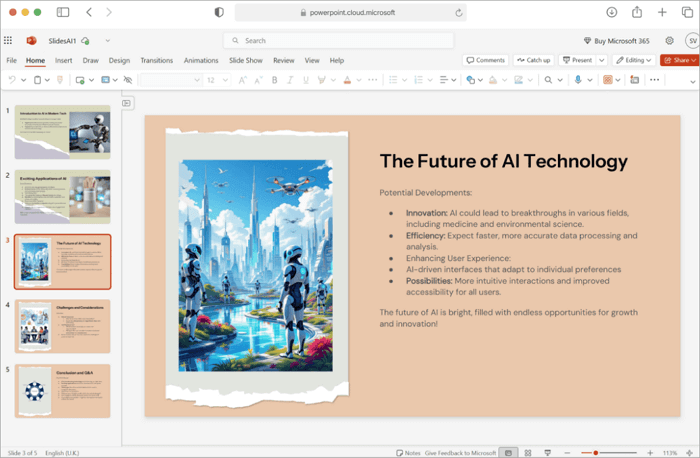
SlidesAI is an add-on inside Google Slides. It’s undoubtedly one of the top AI for Google Slides you should try, especially for how it sets up good formats so your lessons are easy to teach.
Best for: Teachers who are conversant with using Google Slides.
Compatibility: Google Slides add-on (works on Chrome browser & Web).
Key Features:
- Turns text, outlines, or full notes into structured slides in seconds.
- Smart summaries that pick key ideas and make them short for students.
- Supports 100+ languages, which makes it great for classrooms around the world.
- Has more than 1.5 million high-quality images and icons.
| Pros | Cons |
| ✅ Works directly in Google Slides. ✅ Good for high-volume presentations. ✅ Easy to edit with AI suggestions for better wording. | ➖ Less flexible if you prefer PowerPoint. ➖ May need tweaks for very detailed or visual-heavy subjects. |
2. Simplified AI – Best for Visual Lesson Slides
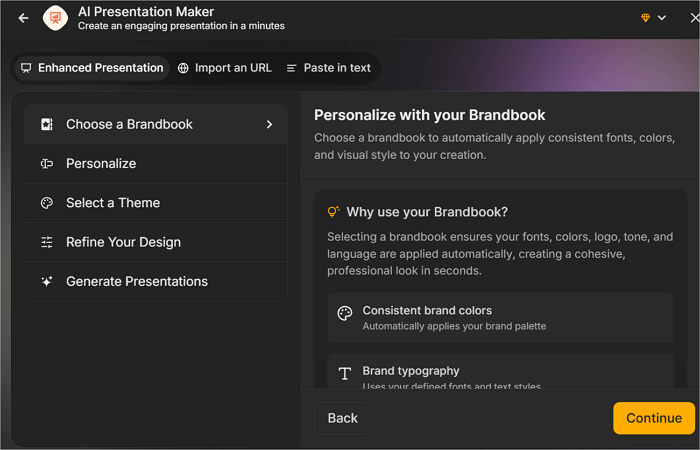
Simplified AI is one of the best AI tools for teachers if visuals matter more than anything else. For teachers asking, “How do I make my lesson slides less boring?” This is the tool for you.
Best for: Lessons that need images, short videos, or visual examples.
Compatibility: Web-based & App
Key Features:
- GPT-powered writing that changes based on who you’re teaching.
- Easy branding for school colors and logos.
- 10,000+ templates, including special slides for education.
- Voice-over narration with 40+ voices or your own cloned voice.
| Pros | Cons |
| ✅ The free plan allows 5 presentations each month. ✅ Generates slide decks without watermarks. ✅ Exports to 6 formats (PNG, JPG, GIF, Video, PDF, and SVG). | ➖ Usage is limited on the free plan. ➖ Some slides still need edits. |
3. AiPPT.com – Best AI for Lesson Plan Slides
Want to create engaging lesson slides in minutes? AiPPT.com does it effortlessly. Its AI presentation maker can turn your ideas, text, files, or URLs into complete slide decks with ready-made layouts, images, and designs. This not only saves hours of manual work but also ensures your slides look professional and keep students focused and interested.
Best for: Creating engaging classroom slides without having any design skills.
Compatibility: Web-based & App.
Key Features:
- It has over 200,000 templates for different subjects.
- Simple-to-use drag-and-drop editing.
- Supports export as a PPTX file, PDF, or images.
- Allows sharing through a link for collaborative class work.
| Pros | Cons |
| ✅ The interface is clean and easy to understand. ✅ It supports inputs from various file types, including existing notes or documents. ✅ It’s the best AI site for teachers with no design experience. | ➖ You have to subscribe to enjoy advanced custom designs. |
4. PPT.ai – Best for Prompt-Based Lesson Slides
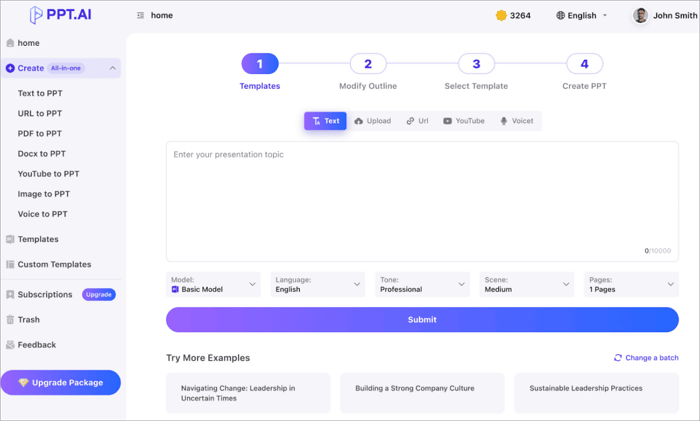
If you want to make lesson slides for students from different parts of the world and all you have is a prompt, PPT.ai is the right tool for you. It’s built with advanced technology that supports various education modes.
Best for: Teachers who only have a prompt but want well-structured lesson slides.
Compatibility: Web-based
Key Features:
- Convert link to PPT
- Modify text, colors, and images with PPT AI’s intuitive tools.
- Free professional templates with smart design recommendations.
| Pros | Cons |
| ✅ Saves 95% of creation time. ✅ Uses top AI models for smart content and layout choices. ✅ Export directly to PowerPoint and preserve all its design elements. | ➖ Free downloads add a watermark. ➖ File size limits (10MB text, 5MB images). |
5. MakerPPT – Best Simple AI Lesson Slide
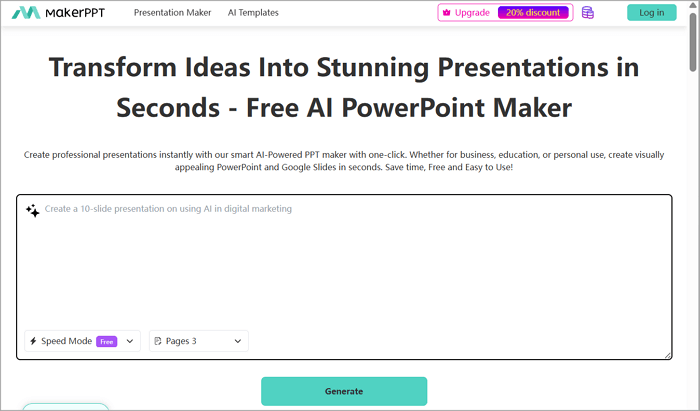
For teachers who are wondering, “How can I get a concise lesson slide from a single click?” MakerPPT is your answer. It stands out amongst the AI platforms for teachers because of its one-click slide generation that provides slides with outlines, content, visuals, and charts.
Best for: Transforming ideas to presentations in just a few seconds.
Compatibility: Web-based
Key Features:
- No skills needed—just enter a topic and generate.
- Change templates with one click.
- Good for student lessons, like reports or summaries.
| Pros | Cons |
| ✅ Perfect for fast lesson drafts. ✅ Make outlines that match the lesson flow. ✅ Add charts and images to explain hard topics. | ➖ Fewer choices for custom themes. |
6. AI PPT Generator – Best for Document-to-Lesson Slides
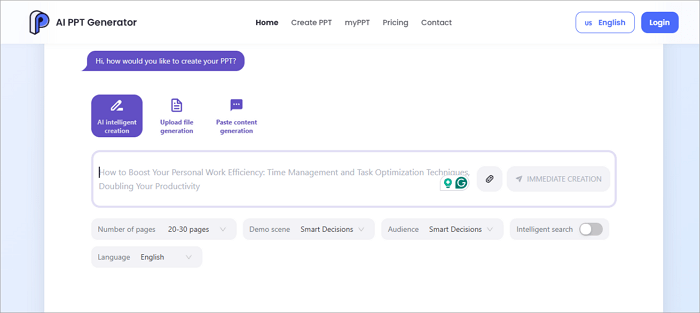
AI PowerPoint Generator is the best AI to create lesson plans when you have documents you want to transform into a full, captivating slide. It also supports entering a topic or pasting an outline for slide generation, but excels exceedingly well with documents.
Best for: Teachers who want to change documents into complete lesson slide decks.
Compatibility: Web-based and works with Google Slides.
Key Features:
- 1000+ free templates for education and other uses.
- One-click generation with visuals and layouts.
- Support exports in PPTX, PDF, or video formats.
| Pros | Cons |
| ✅ Great at turning files into slides without retyping. ✅ Free daily credits for regular use. ✅ Can be customized to specific educational styles. | ➖ Paid plans are needed for unlimited use. |
7. SlideGPT – Best for Notes-to-Lesson Slides
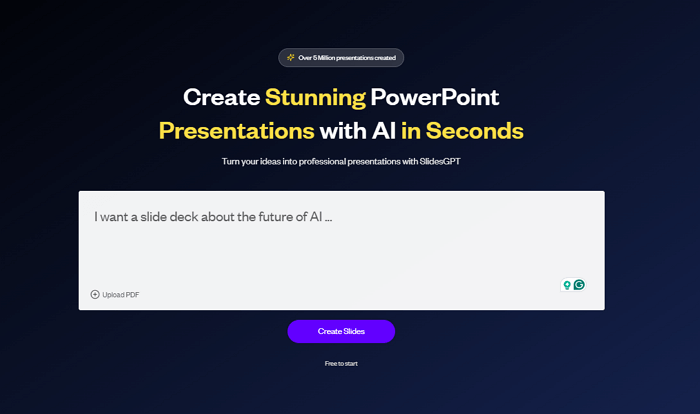
Do you have some notes you would like to turn into a slide? SlidesGPT is one of the best free AI tools for teachers to turn text into presentation slides. You can also rely on it when working on summaries, articles, or any long text.
Best for: Transforming lesson notes to professional slides.
Compatibility: Web-based.
Key Features:
- Generates custom images with the latest AI models from OpenAI and Google.
- The free view feature lets you check the slide before downloading.
- Exports to PPTX, Google Slides, and PDF.
| Pros | Cons |
| ✅ Easy for notes or copied text. ✅ Makes slide creation 10x faster than manual. ✅ Good for quick lecture prep. | ➖ Only 10 downloads per month on the free plan. ➖ May need edits if the notes are not very clear. |
8. AIStage PPT Maker – Best for Multi-Subject Lessons
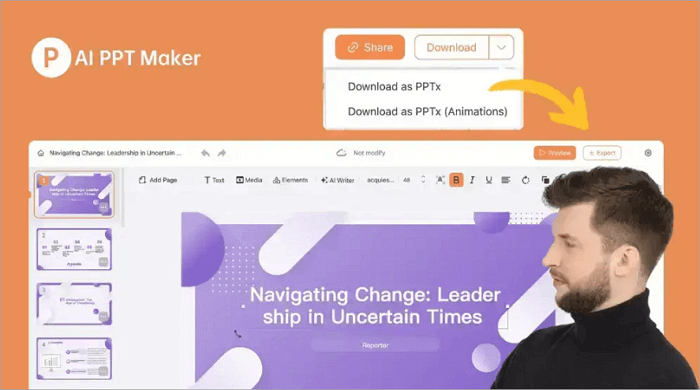
This tool is considered one of the best AI programs for teachers because of how it handles many different school subjects without feeling forced. You can start with just a sentence about the lesson or upload a file, and AIStage PPT Maker puts together a decent set of slides.
Best for: Teachers who switch between subjects and need to know how to make lesson plans with varying design options.
Compatibility: Web-based
Key Features:
- More than 1,000 free templates across many subjects.
- Handles multiple languages well.
- Works for full lessons or smaller topic reviews.
| Pros | Cons |
| ✅ Use solid AI models so the content makes sense at first glance. ✅ Let you adjust layout, text, images, and school branding. | ➖ Advanced results require a subscription. |
9. AI Slides – Best Free AI for Lesson Slides
When on a budget and you need to prepare for tomorrow’s class, AI Slides is the best AI for making lesson plan slides. No sign-up tricks, no card details, no monthly limits that lock you out after a few tries.
Best for: Teachers who don’t want to spend any money.
Compatibility: Web-based
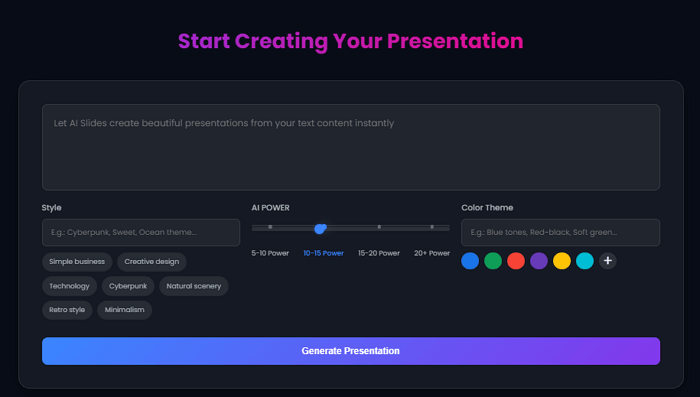
Key Features:
- Completely free with no subscription needed.
- AI builds full presentations automatically.
- The quality is good enough for normal classroom days.
| Pros | Cons |
| ✅ Intuitive interface. ✅ Safe way to test AI presentation tools. | ➖ Designs are plain compared to paid tools. ➖ Doesn’t have many extra features like voice notes and beautiful animations |
10. Google Duet – Best Built-in AI for Google Slides
If you like working on the Google Slides app and want to create lesson notes without leaving the app, Google Duet is your go-to. It has a Gemini AI built right into it that lets you type your prompt, and you get as much assistance as you need.
Best for: Seeking a little AI help when working on Google Slides.
Compatibility: Web-based and Google Slides App.

Key Features:
- Creates images that match exactly what’s on your slide.
- Pulls content from Google Drive or Gmail.
- Respects Google’s security.
| Pros | Cons |
| ✅ No new app or login to remember. ✅ Feels safe because it’s part of Google. ✅ Links smoothly with your existing Google files. | ➖ Can get some facts wrong—you need to double-check. |
How to Make a Lesson Plan Step by Step
Every AI lesson planner follows a slightly different workflow, but the overall process is similar. The example below uses AiPPT.com to show how to create lesson slides with AI quickly and efficiently.
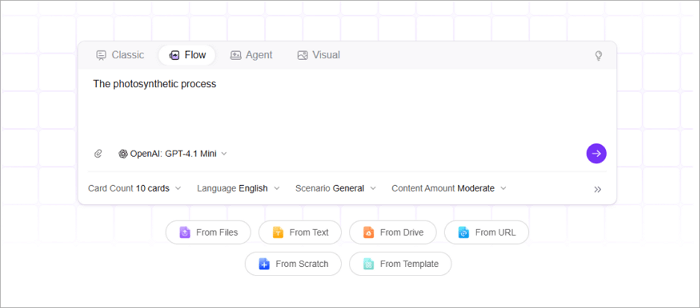
Step 1: Enter Your Lesson Topic
Type your lesson topic or upload a Word document, PDF, or URL containing your teaching materials.
Step 2: Review the AI Outline
The AI generates a structured lesson outline. Edit the objectives, key points, or sections before creating the presentation.
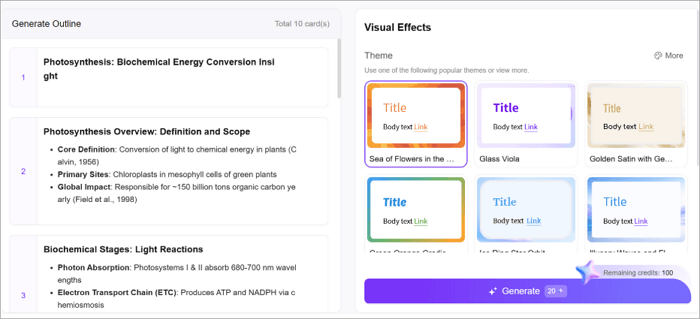
Step 3: Choose a Template
Select a template that matches your subject and classroom style. A clear design makes your lesson easier for students to follow.
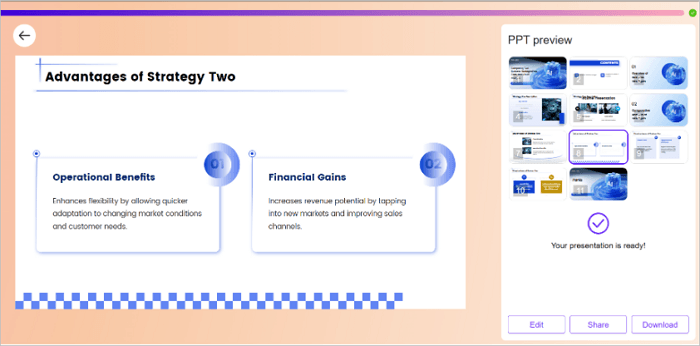
Step 4: Generate the Slides
The AI presentation maker for teachers transforms your outline into a complete slide deck with organized content and visuals.
Step 5: Edit and Export
Customize the slides, then download them as an editable PowerPoint (.pptx) file, ready to present or share with colleagues.
Conclusion
The best AI lesson plan generator is the one that matches your teaching needs and workflow. If you want to create lesson slides with AI quickly while keeping full control over the content, choose a tool that offers editable PowerPoint exports, flexible input options, and classroom-ready templates.
Among the tools above, AiPPT.com stands out for its ease of use and comprehensive features. No matter which AI presentation maker for teachers you choose, the right solution can save valuable preparation time and help you deliver more engaging, professional lessons.
FAQs on AI Lesson Plan Generator
The answers below explain how AI can simplify slide creation, improve lesson preparation, and help you choose the right tool for your classroom.
1. How can I create educational slides from a URL using AI?
Many AI presentation tools let you generate slides directly from a webpage by simply pasting its URL. The AI analyzes the page, extracts key information, and organizes it into a structured presentation with titles, summaries, and visuals. This is especially useful for turning online articles, lesson resources, or educational guides into classroom-ready slides.
AiPPT.com supports URL-based slide generation, allowing teachers to quickly convert web content into editable PowerPoint presentations without manually copying and formatting information.
2. Which AI Lesson Plan Generator Is Best for Teachers?
The best AI lesson plan generator depends on your teaching needs, but the most useful tools combine content generation with flexible editing and professional slide design. Look for features like support for multiple input formats, editable PowerPoint exports, classroom-ready templates, and AI-generated lesson outlines.
Among the tools reviewed in this guide, AiPPT.com is an excellent choice because it can create complete lesson presentations from prompts, documents, PDFs, or URLs, helping teachers prepare engaging lessons in far less time.
3. Can AI Generate Lesson Presentation Templates?
Yes. Many AI presentation makers can automatically generate lesson presentation templates based on your topic, subject, or teaching goals. Instead of starting with a blank slide, you receive a professionally designed presentation that includes layouts, colors, fonts, and suggested content sections. Most tools also let you customize the generated template to match your classroom style.
With AiPPT.com, you can choose from a wide range of editable templates and combine them with AI-generated lesson content to create polished educational presentations in just a few minutes.